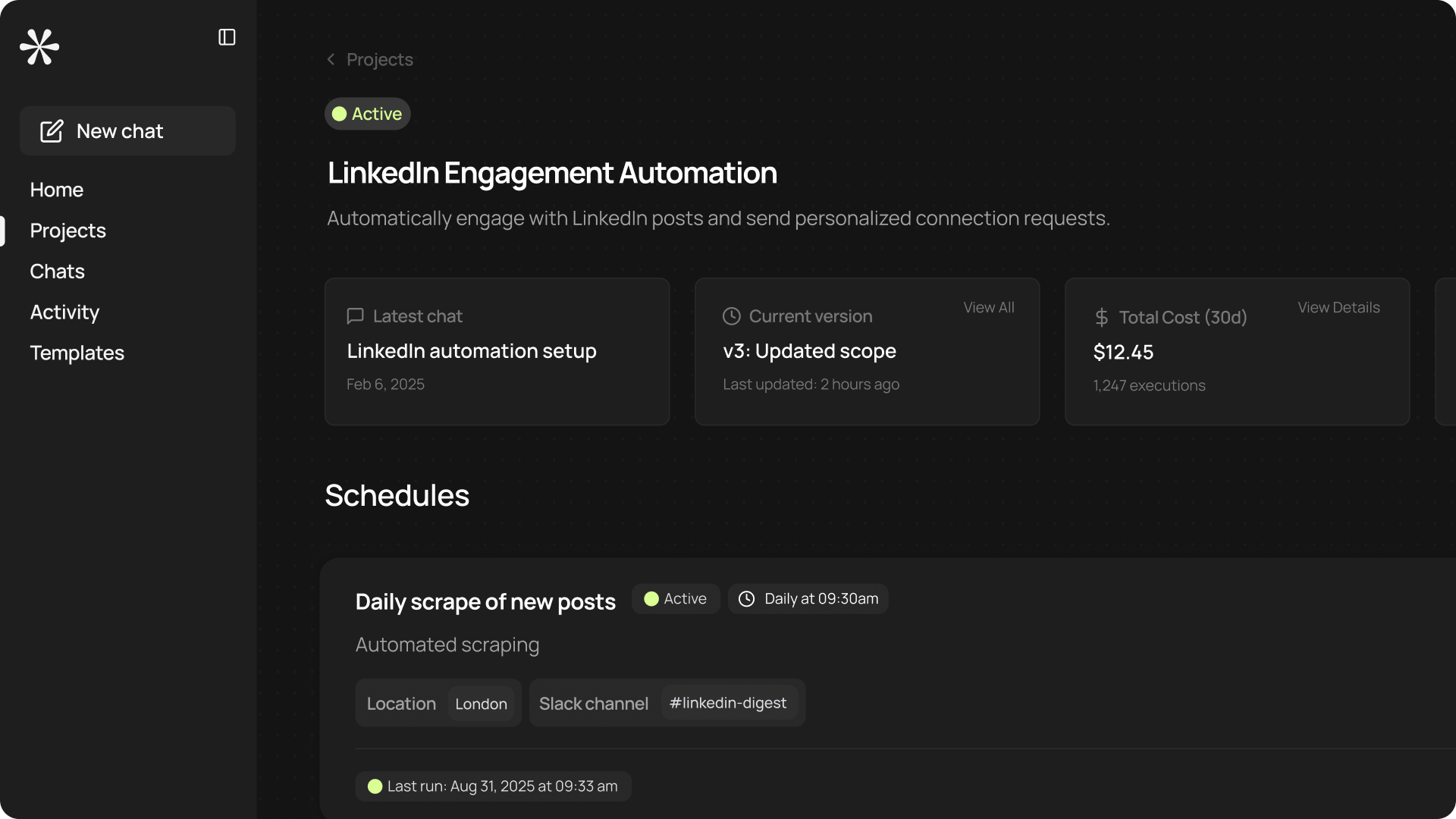
Now when you click on your workflow or app in the Projects page, you’ll be taken to its activity overview. The activity page means you have more high-level control over everything you build.
What's included
- Quick overviews: Head straight to the latest chat to continue building or editing your project, see which version is being used, and find total or average costs for that project.
- Control schedules and triggers: Quickly create schedules or triggers for your project, and see a quick overview of existing ones.
- Versioning: Find an overview of all project versions. Return to previous versions, see a summary of version changes, and understand when changes were made.
- Run pages: You’ll still find the run page for your workflow in the Run tab at the top of the activity page. Click through to manually run your workflow.