Calendar to Docs Automation
Create pre-filled Google Docs for external meetings from your Google Calendar. Save time and stay organized with automated meeting documentation.
 Rithul Palazhi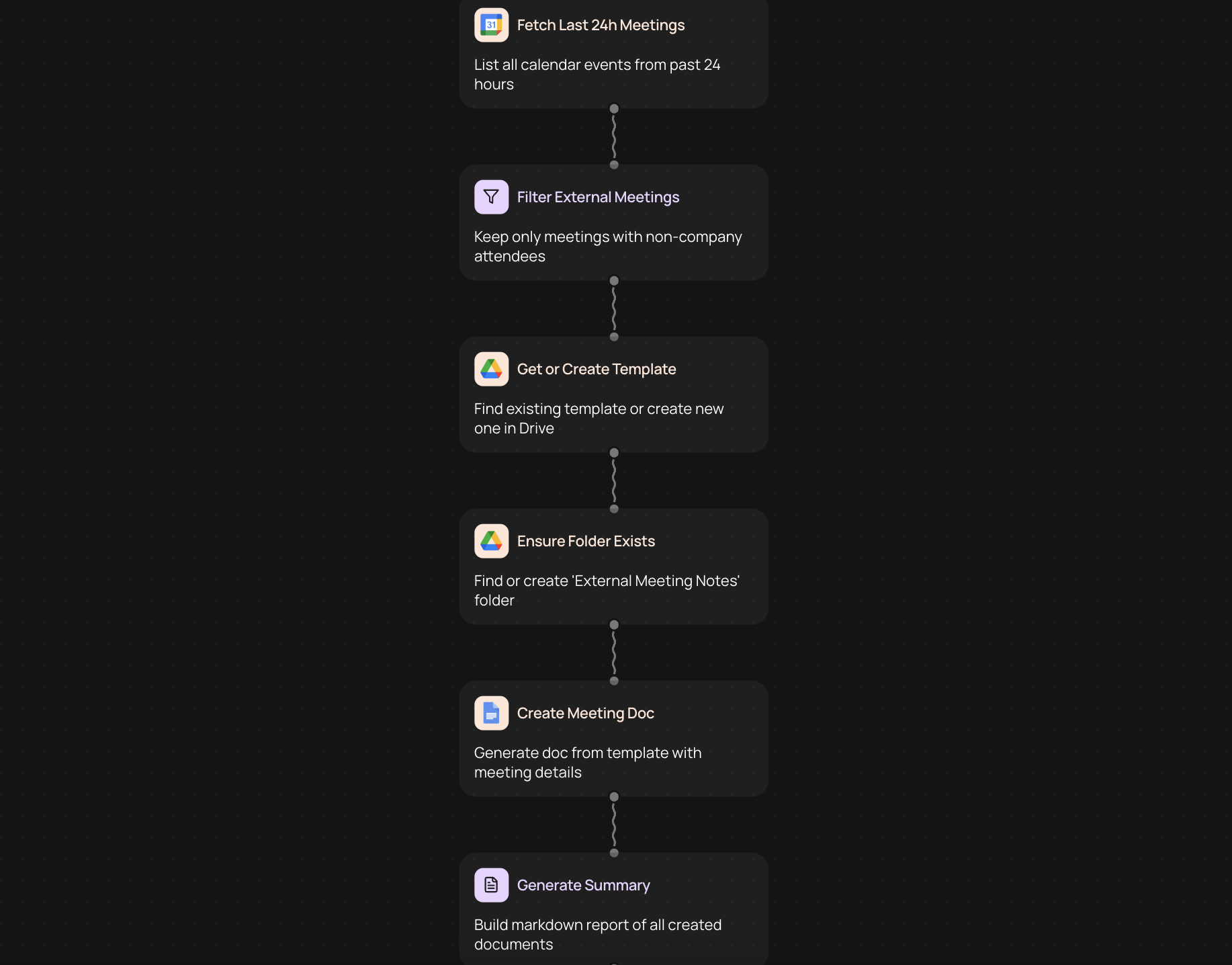
Turn calendar events into meeting documents
Calendar to Docs automation creates pre-filled Google Docs for your external meetings directly from Google Calendar. Every time you schedule a meeting with clients, partners, or vendors, the system generates a ready-to-use document with all the relevant details already filled in.
How it works
1. Connect your Google Calendar to CodeWords
2. Choose which meeting types trigger document creation
3. Select your Google Docs template with meeting fields
4. Documents are created when new meetings are scheduled
What gets included in your documents
• Meeting title and date
• Attendee names and email addresses
• Meeting location or video conference link
• Calendar description and agenda items
• Custom fields from your template
Benefits of automating meeting documentation
Stop spending time copying information from calendar invites into separate documents. This automation handles the repetitive work so you can focus on preparing for the actual conversation. Your meeting notes, agendas, and follow-up documents start with accurate information from the source.
Who uses this automation
Sales teams use it to create client meeting briefs before calls. Consultants generate pre-filled project update documents. Account managers prepare customer check-in notes. Anyone who meets regularly with external contacts benefits from having documentation ready before the meeting starts.
Customize for your workflow
Set up different document templates for different meeting types — one for sales calls, another for project reviews, and a third for initial consultations. Filter which calendar events trigger the automation based on attendees, keywords, or calendar categories.
More templates
Get started today
Your first agent is free to build.
Describe what you need. Cody handles the build, the connections, and the deployment.