Educational Video Generator — create teaching videos from text
Turn any written topic into a polished 10-clip educational video. No editing required. Perfect for fast lesson creation and training needs.
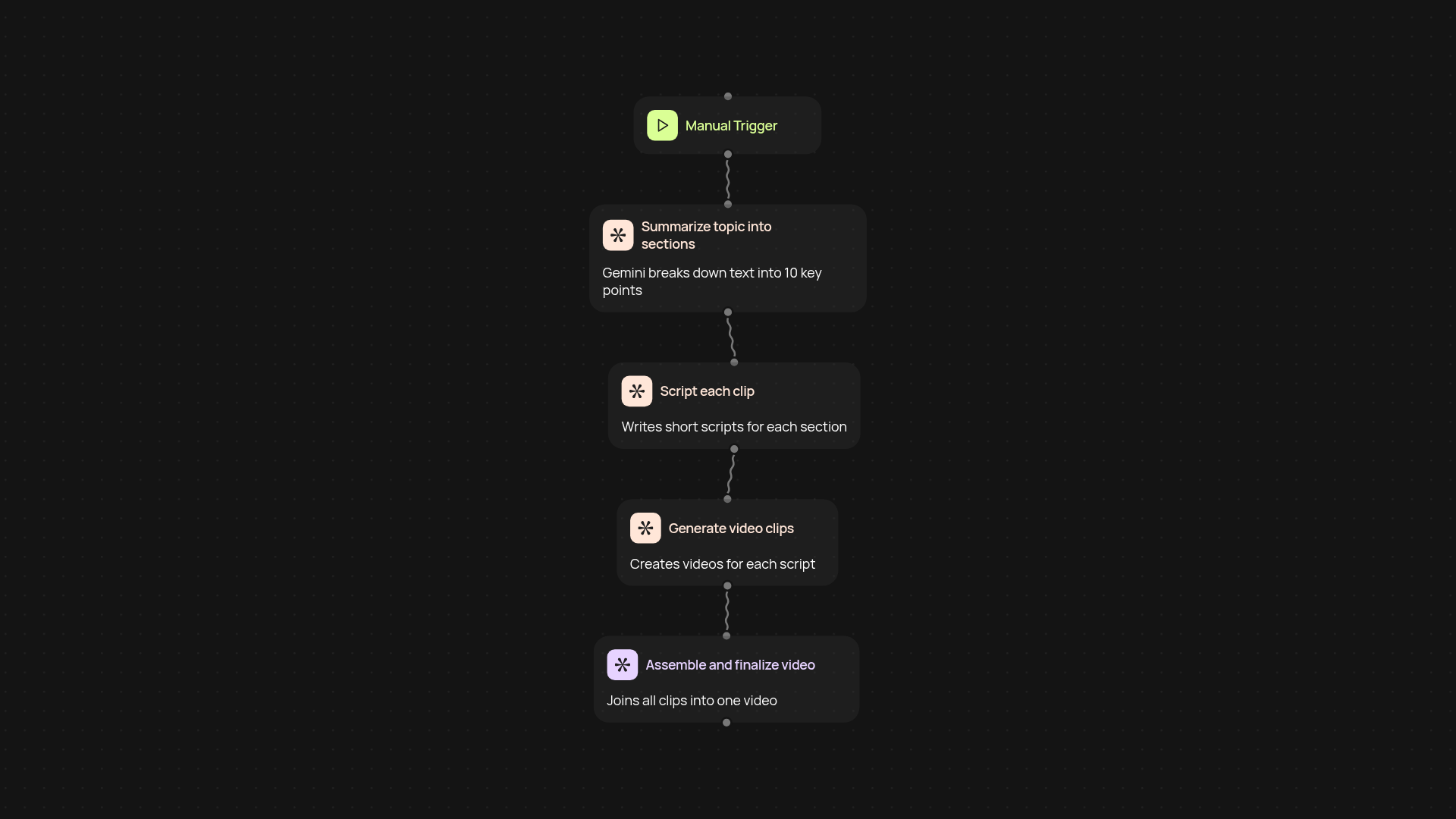
What does the educational video generator do for you?
The educational video generator takes any written subject or lesson topic and turns it into a polished 10-clip educational video automatically. You simply give it a text topic — the tool breaks it down, scripts each section, and instantly creates a series of engaging video clips designed for learning, training, or onboarding. There’s no manual video editing or scriptwriting required.
How can it speed up your lesson creation?
You’ll save hours every time you need a teaching video. Instead of planning, scripting, recording, and editing—just enter your topic and let the generator do the work. The clips are assembled hands-free, so you can deliver content to students or employees on autopilot, even if you’re not an experienced video creator.
What’s included in each generated video?
Each video features 10 informative clips, covering key points of your provided topic. The content covers all the essentials, designed to explain and engage. The process ensures each concept gets its own focused segment, making videos clear and easy to follow for any audience.
How do you get started with the educational video generator?
Getting started is simple. All you need is your topic — no special software, equipment, or video expertise required. Trigger video creation in one click, add your text, and you’ll receive a broadcast-ready lesson video, ready to share or upload anywhere.
Get started today
Your first agent is free to build.
Describe what you need. Cody handles the build, the connections, and the deployment.