PDF Chat Assistant — get answers from any PDF, fast
Chat with your PDFs and get cited answers instantly with CodeWords. Save hours searching documents and find what you need, hands-free.
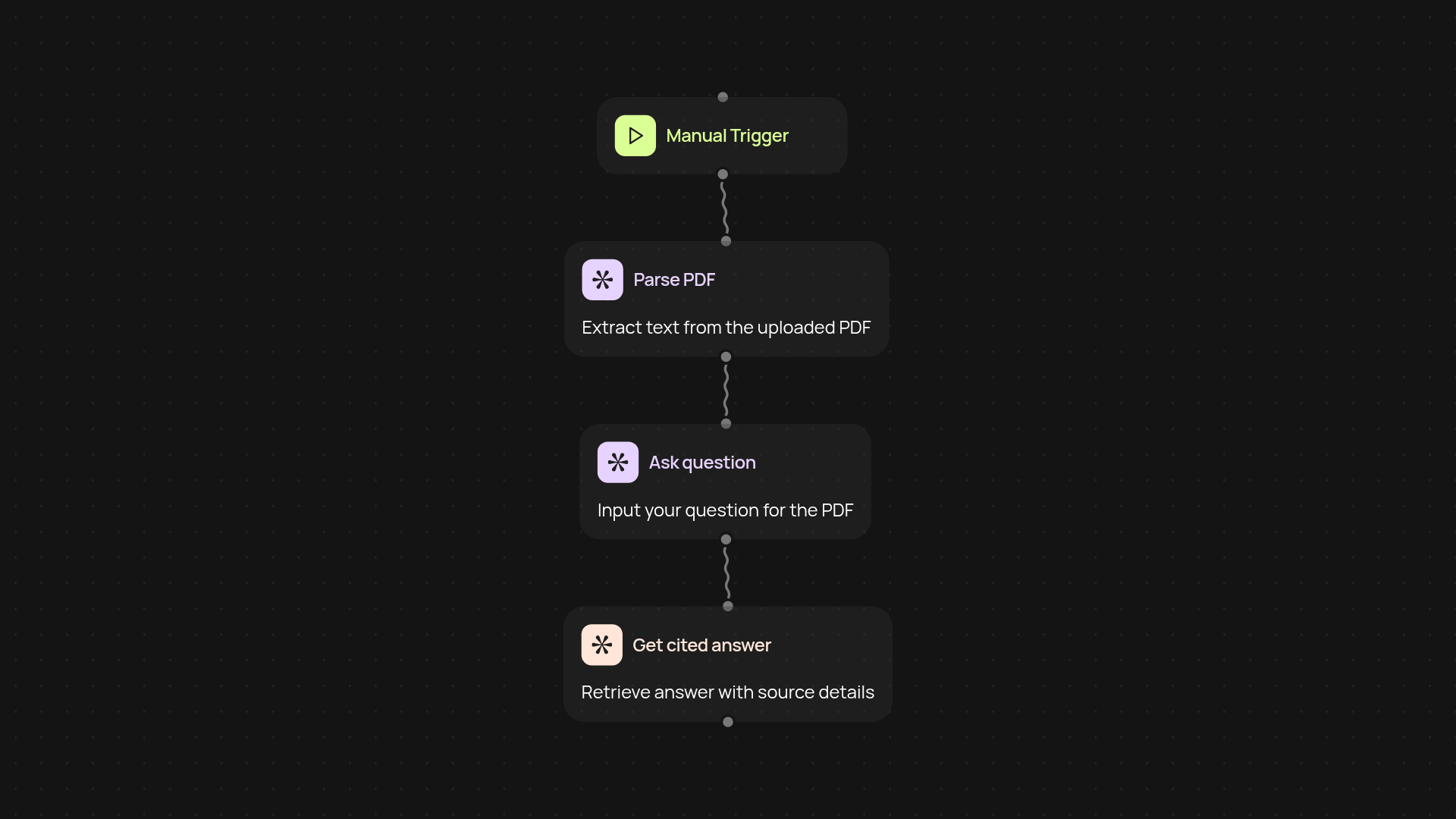
What does PDF Chat Assistant do end-to-end?
PDF Chat Assistant lets you chat with your PDF documents and get instant, cited answers to your questions—no manual searching required. Just upload your PDF, ask anything, and see precise answers pulled straight from the document. Forget wasting time on scrolling or skimming; you’ll find the right info in seconds, with every answer linked to its source for confidence.
How does it provide reliable, cited answers from PDFs?
Answers are generated by analyzing your PDF and locating exact references for each reply. The assistant highlights where each fact came from, so you can trust the response and quickly verify accuracy. This means you always know which page to review if you want more detail.
What types of PDFs does it support?
It works with almost any PDF—business reports, contracts, research papers, training manuals, or presentations. Whether you have scanned files or digital documents, PDF Chat Assistant can extract answers and citations with minimal effort on your part.
How do I set it up and start chatting with my PDFs?
You’ll start by uploading a PDF to the platform. Then simply type your question. That’s it—no technical setup or special software required. Just your document and a few clicks, and you’re ready to get cited answers on demand.
More templates
Get started today
Your first agent is free to build.
Describe what you need. Cody handles the build, the connections, and the deployment.