Building robust chat at scale
How we engineered a chat-driven workflow automation UX for CodeWords that helps non-technical users build automations.
 Amman Vedi7 min read
On this page
The content in this blog post is taken from a talk I did at the React Advanced and AI Tinkerers meet-ups. Thank you to both orgs for letting me speak and thanks to Osman for encouraging me to put this together in the first place!
CodeWords allows you to build workflow automations directly from chat. You can simply talk with our agent, who we lovingly call Cody, and create an automation that interacts with your own data sources. You can then run, schedule, and trigger your workflows as required.
Chat is at the core of our product and, as such, we've spent a lot of engineering time figuring out how to create the best, most robust UX possible. In this post I’d like to share some of the things we learnt.
Intermediate communications are a progress signal
We have a lot of CodeWords users who are non-technical, which presents us with a UX challenge as creating software is a very inherently technical task. While building, we were concerned about the way the agent would communicate with the user.
- Would the agent use technical jargon the user wouldn’t understand?
- Would we need one technical agent and one non-technical agent who can act as a sort of translator?
This was particularly a concern for us as our agent would take in a user’s desired workflow and might then be responding for up to 10 minutes while it builds, debugs, and tests the workflow.
In reality, we found that the majority of the output of the agent isn’t really read by the user. The user is concerned with:
- Their own input message
- If there is progress being made
- The final output from the agent
- What they need to do next
Once we understood this, we stopped worrying about whatever the agent said in-between, and focused more on making it visually apparent that the agent was doing something.
The messages between the user’s request and the final output were just a pseudo progress bar, so we made sure to have an indicator of progress being made via movement or animation.
Lesson: Users aren’t absorbing all of the information in intermediary messages, but they are using these as a sign of progress.
Structured processes as front-end tools
By default, when the agent needed to ask questions to the user it would print these questions in a list, the format of which would vary from time to time.
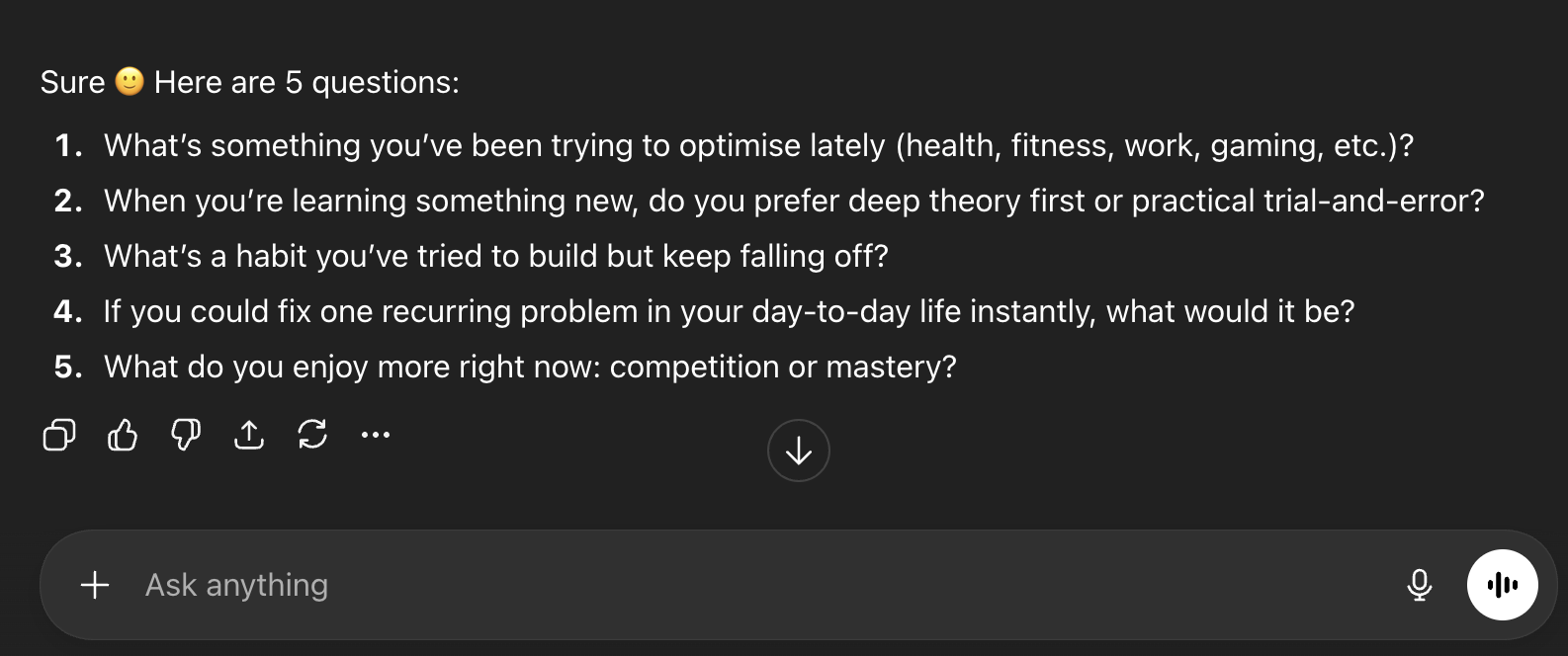
It was quite interesting to watch how different users responded to this. In the best case, they would answer each question one by one in a single response. In the worst case, they would answer the first question and send the message. In this case, it was slightly unpredictable what the agent might do:
- Request that the user answer the other questions
- Assume that the user didn’t answer the questions, guess the answers itself, and then build
Understanding the user’s intent directly influences if the outcome will be a success, so we really didn’t want to compromise here and end up in the second scenario.
Client tools
Using the Vercel AI SDK, tools don’t just have to be functions that are called in the back end. You can also have tools that are resolved on the front end. You can see the askForConfirmation example from their Docs below.
This means we can take a flow, in this case asking questions, and convert it into a tool that the agent can call, when the tool is called we can then trigger a UX that we control to get information from the user.
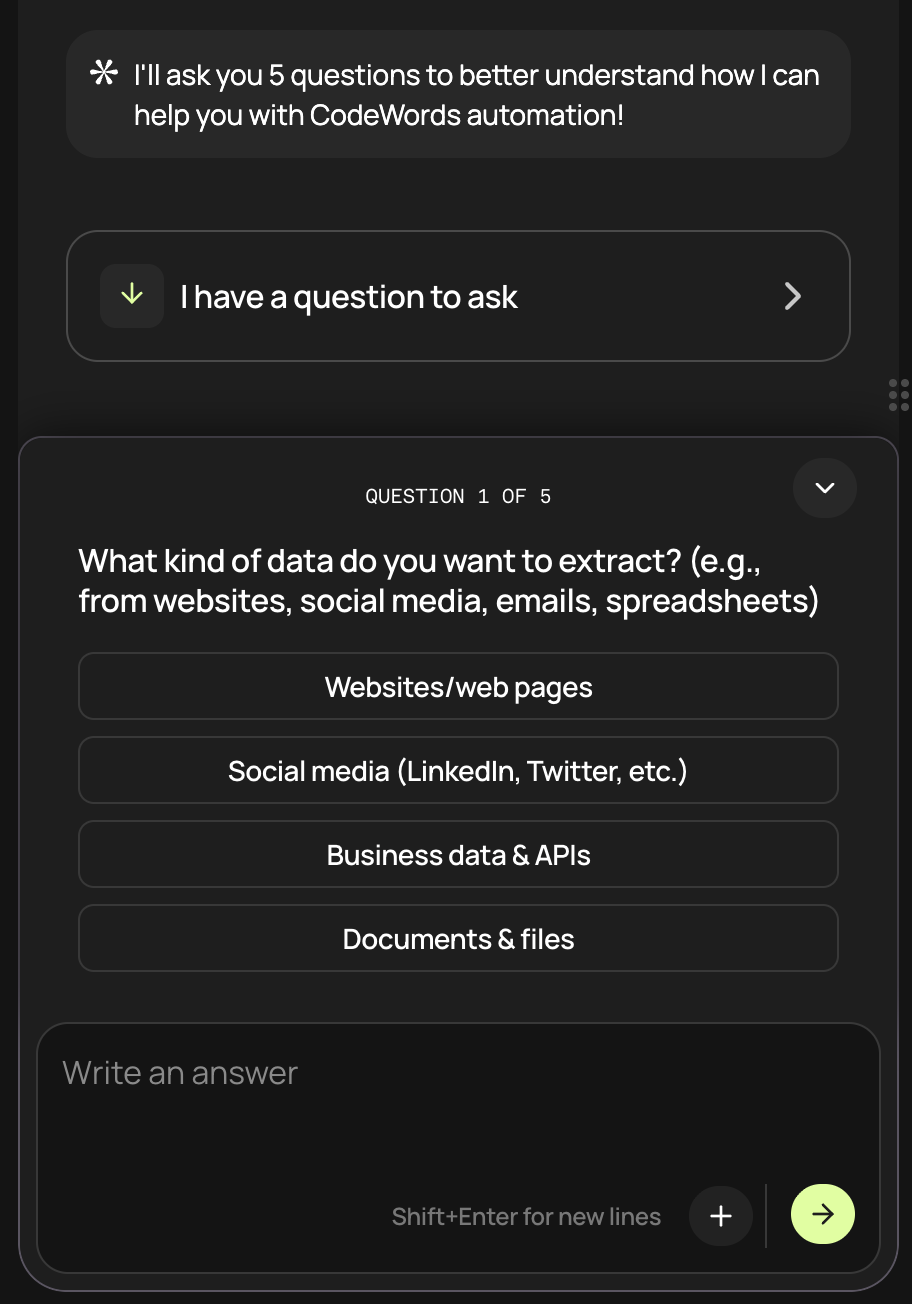
In the future, we’ll extend this to include more processes that we want to control. For example, integrating with third party services will have its own pop-up UI that the agent can trigger.
Lesson: Hand off deterministic user flows to specially designed UIs in your app, with client-side tool calls to keep the experience reliable and consistent.
Injecting extra context
Following on from the previous section, we realised that if we shifted more logic to tool calls, we needed to be sure that these tools would be called consistently.
This is something we found was a problem with the question-asking tool. The tool definition and system prompt didn’t seem to be enough.
We wanted:
- Stronger instruction to the model
- To inject this in a transient manner, so it wouldn’t be displayed to the user or in the front end
- Not to interfere with Anthropic’s caching
We decided to try the approach of injecting a hidden message into the user’s latest message before sending it to the model.
In the most simple sense, this would look like the following:
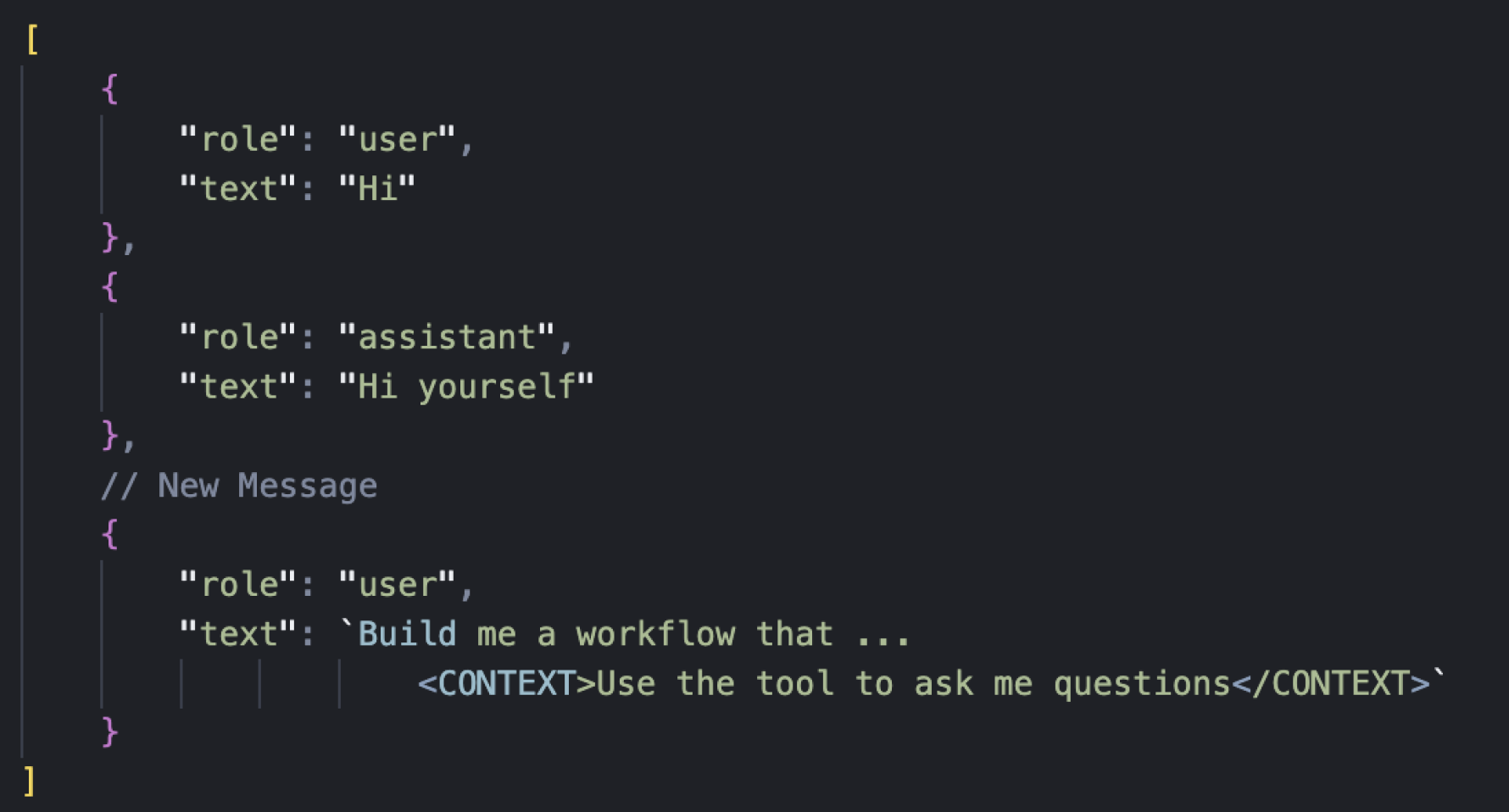
We injected a formatted message to the end of the latest user message, and we could inject this on the server before we sent the message to the model. However, this did not satisfy condition #3 as it broke caching.
If we added a new message to the example above, we removed the <CONTEXT/> tags from the previous user message, and added them to the new user message we got the following state.
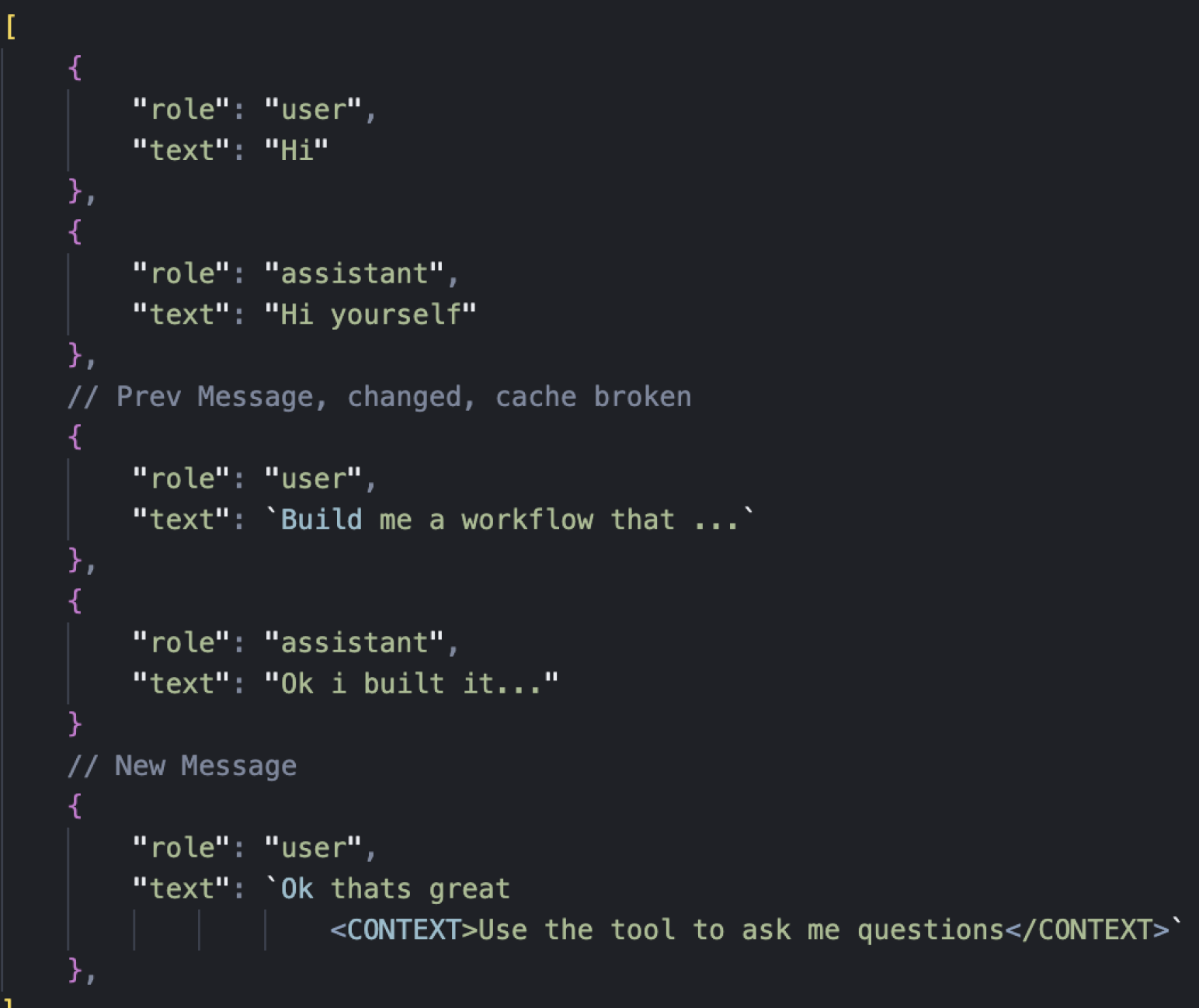
Because we had cached until the last user message, and then changed the history, it again would break our cache.
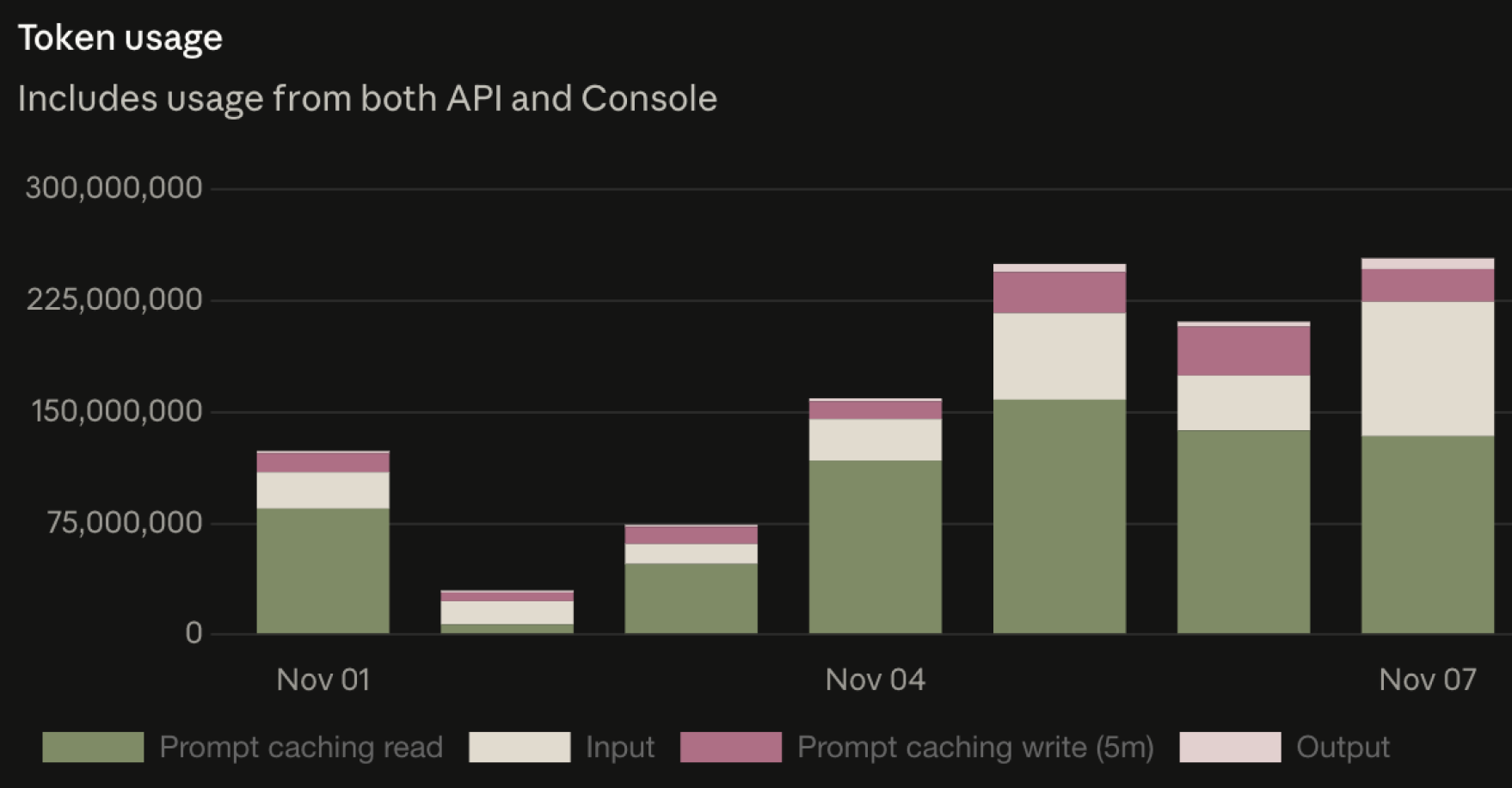
Below is our cache usage, you can see the impact of this could almost double our usage bills.
The solution for this was that the transform just needed to be made for all user messages, consistently, resulting in a history that looked more like this. For this reason we now like to keep the injected message as short as possible. You can see the result of this in the following code snippet.
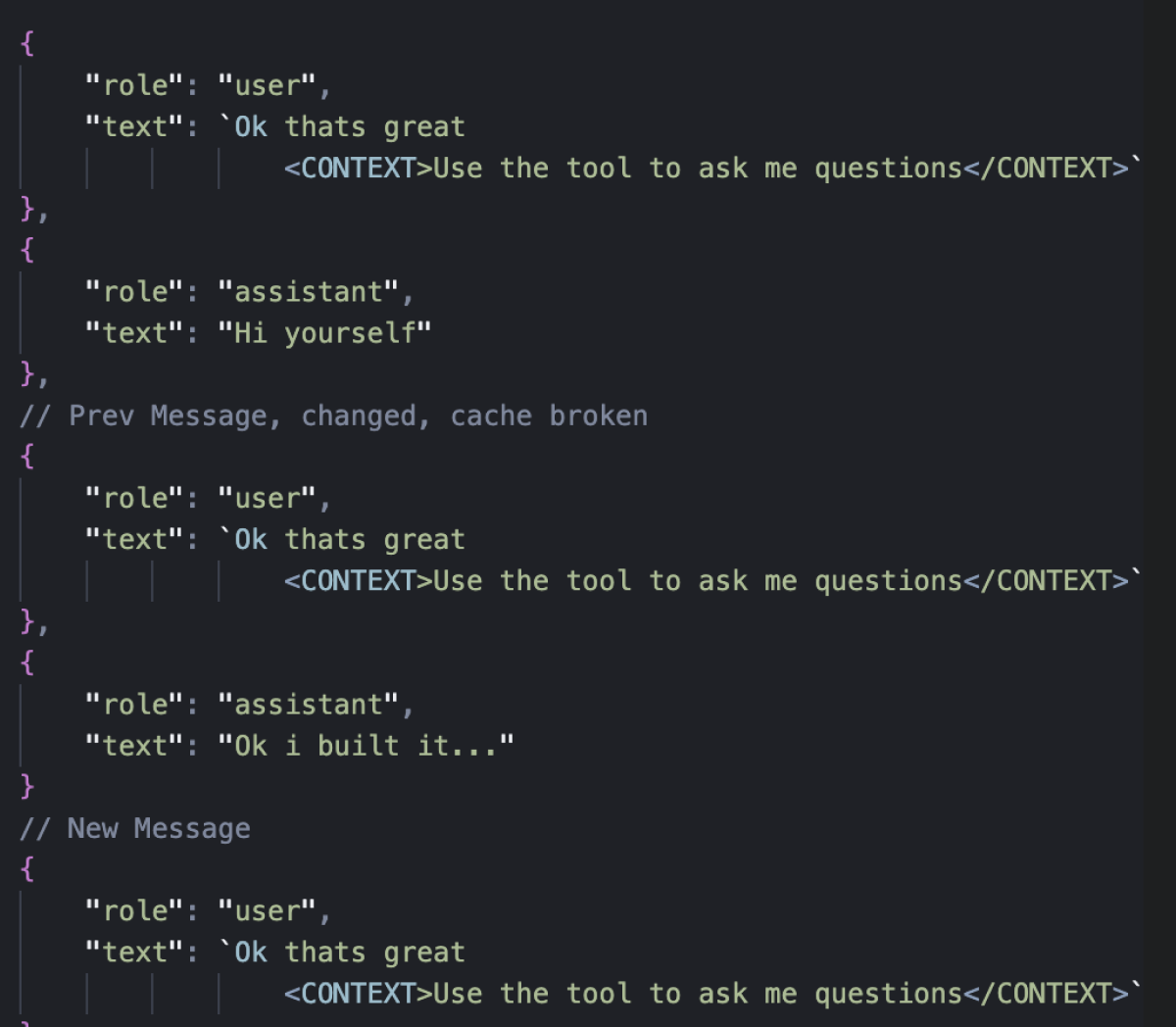
The code that does this is simple, it just finds all user messages and appends the extra context. (Simple!)
At the moment, the injected context amounts to the following:
"Make sure to use CodeWords docs where needed. To ask me any questions use the Ask_User_A_Question tool".
Lesson: You can inject extra context or reminders in the user messages. If you have caching restrictions, make sure transforms are consistent across all user messages.
Cancelling generations and persisting partial chat states
Consider what happens when you send a message to an agent and then want to cancel its response. If the stream from the LLM stops sending you chunks of data, what state is your chat in?
- Partial tool calls?
- Half-thoughts in reasoning blocks?
The biggest problem with this is that if your data is in a broken state, the upstream LLM provider probably wont process it and let you continue, and their rules about this can be esoteric. For example, Anthropic won’t process any thinking block that doesn’t come with the signature property that they send you when the thinking output is finished.
A quick solution here is to simply discard any partial / broken messages. However, this has the following downsides:
- The user can still see these messages in the front end, but if they refer to them the agent won’t know what they are talking about
- There might be important context of something the agent did in those messages
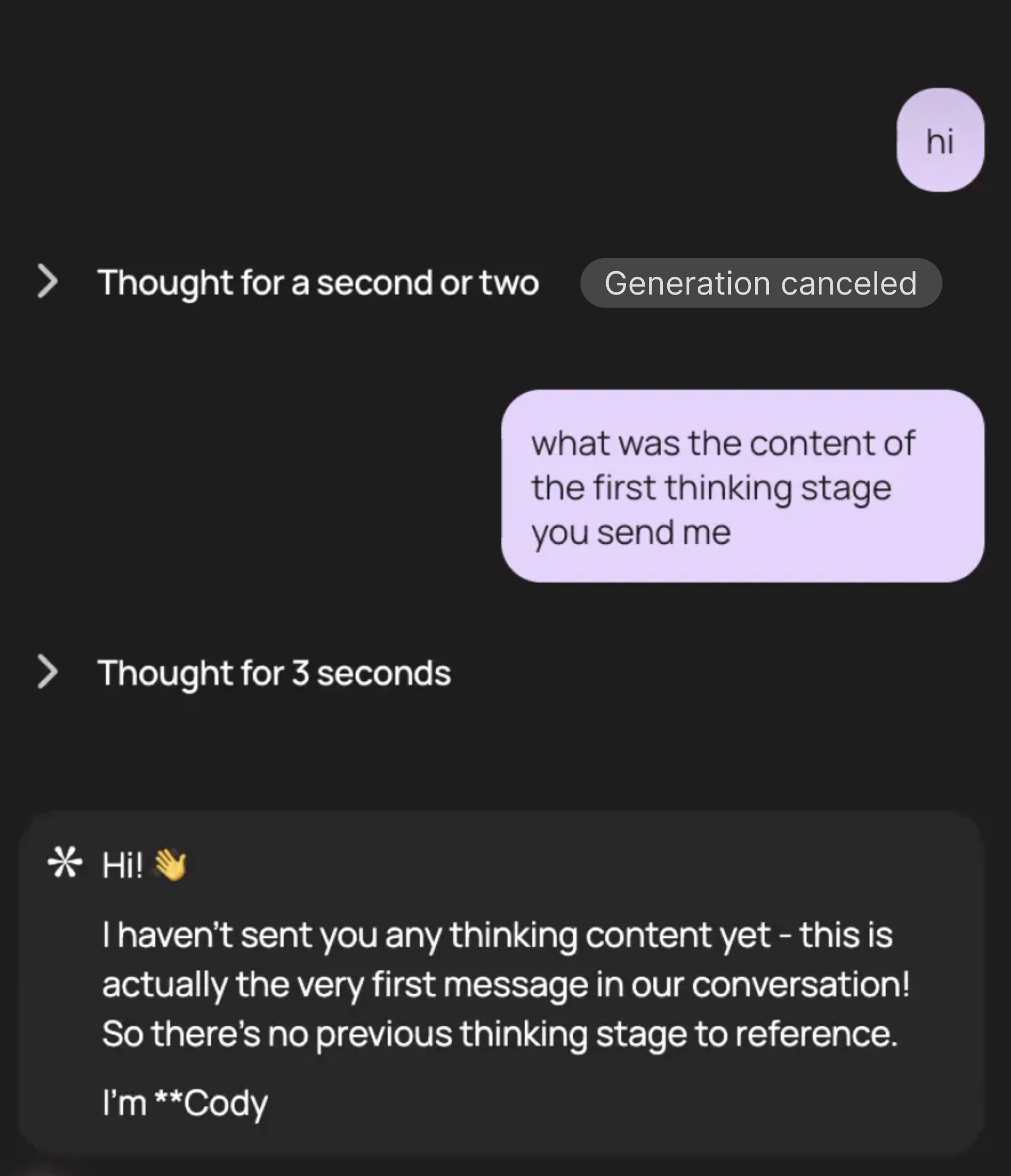
Cancellation during thinking block; discard strategy leaves agent unable to recall discarded blocks
To solve this we kept all parts, but we transformed them into states that were valid. Here is the function that maps over all parts and transforms them as needed.
Some examples of transforms are:
- Unfinished thinking blocks: set the state to complete and the output to “this tool call was aborted”
- Unfinished text blocks: set the state to done from “streaming”
A really interesting case is thinking blocks. If we terminate a thinking block before it’s complete, we won’t get the signature from Anthropic that we need to make it valid. So, in this case, we transformed it into a text block.
Even more interesting is that because thinking blocks are phrased in the first person, the model recognises them as such, regardless of whether the type is thinking or text!
Now the agent is fully aware of even partial states in its history.
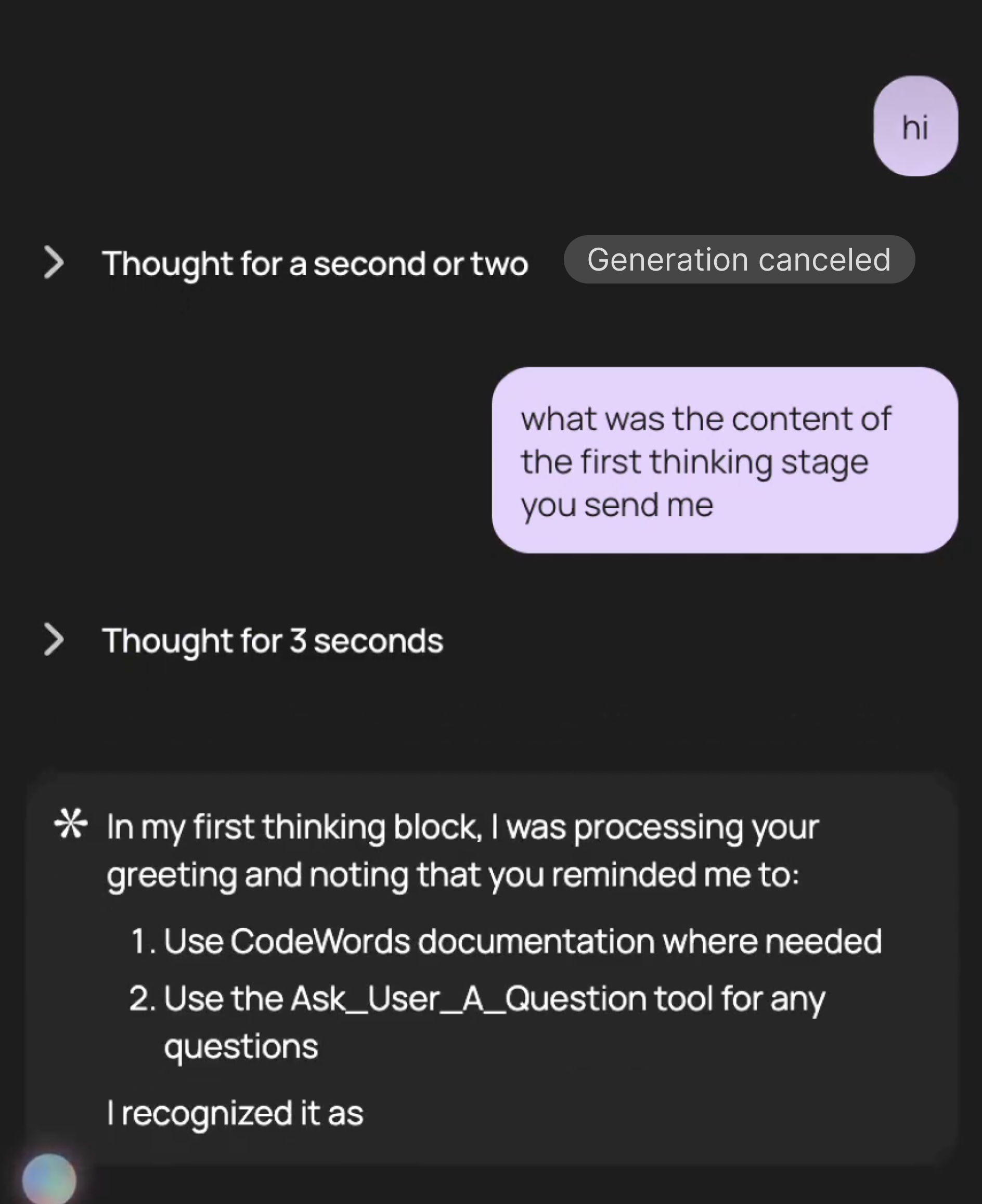
Agent aware of cancelled thinking block.
We also only send the latest user message from the front end. We don’t send the whole chat history for each generation. This allows us to manipulate the chat history as we like on the server side before we pass it to the model.
Lesson: Aborting a generation can leave your chat in an invalid state. Sanitise these messages before persisting them.
In summary
It’s been a fun journey building out the chat interface at CodeWords, and I hope the lessons learnt can benefit anyone out there on the same journey. If you want to build your own automations from chat check out CodeWords.
Part 2 of this series will cover how we optimised resumable streams.