How to streamline business processes with AI automation: the complete guide for 2025
Learn how to streamline business processes with AI automation: find and map friction points, then fix them with small low-code automations.
 Rebecca PearsonUpdated 12 min read
On this page
- Key takeaways
- How do you identify processes ready for AI automation?
- Which AI automation approach is right for your team?
- How do you measure the real ROI of streamlined processes?
- What are the common pitfalls in business process automation?
- The new foundation for scalable operations
- Frequently asked questions
To simplify business processes with AI automation, find the repetitive steps that cost the most time, map the current workflow, remove steps that add no value, and then automate one step at a time with a low-code tool. Start with a single high-frequency task, measure the result, and expand from there.
Operational friction is the slow, repeated manual work that caps growth: data entry, status updates, and handoffs between tools. This guide shows how to find that friction, map it, fix it with small automations, and measure the return.
Key takeaways
- Start with one high-frequency, error-prone task instead of automating a whole department.
- Score each candidate task on frequency, brittleness, and impact before you build anything.
- Simplify a process before you automate it, because automation makes a broken process run faster, not better.
- Measure outcomes such as error rate and response time, not only hours saved.
- Low-code platforms let the people who understand a process build the automation themselves.
Scaling a company adds complexity. Tasks that were manageable at ten customers, such as data entry or customer onboarding, become bottlenecks at a hundred, consume team time, and invite human error.
The fix is not a large, top-down overhaul. This guide recommends starting with small, high-impact "micro-automations" and building from there.
How do you identify processes ready for AI automation?
Identify automation candidates by scoring tasks on three criteria: frequency, brittleness, and impact. The highest return usually comes from automating one critical step inside a larger process, not from automating an entire department.
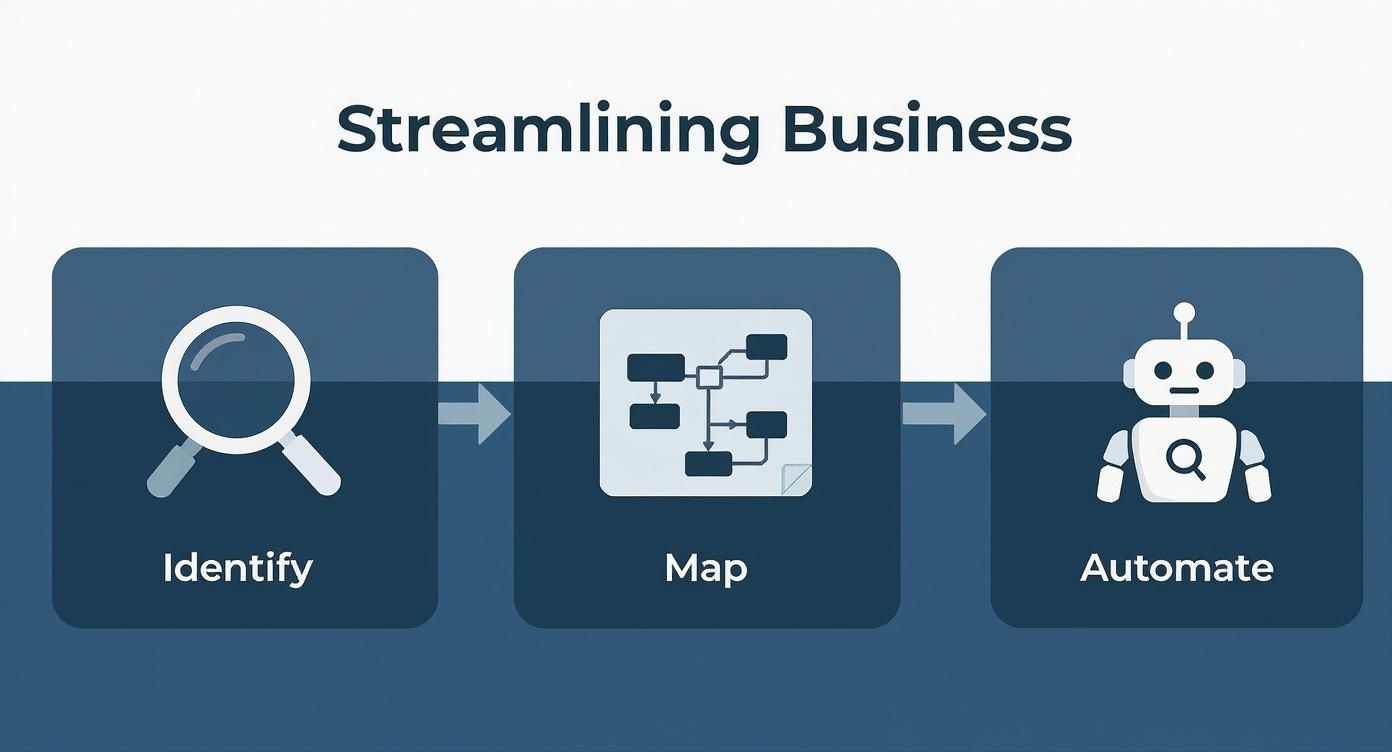
A framework for pinpointing automation candidates
The best candidates score high on all three criteria.
| Criterion | Question to ask | Example |
|---|---|---|
| Frequency | How often does the task occur? | Daily data entry, hourly report generation, continuous lead qualification |
| Brittleness | How likely is a human error? | Manual data transfer between systems, where one wrong entry causes hours of rework |
| Impact | What is the downstream effect on revenue or customer experience? | A slow, manual lead qualification process slows sales |
Look for tasks that are repetitive, error-prone, and tied to a core business outcome. Those are the starting line.
Teams often guess instead of measuring. A short prompt over your own data replaces the guess. The example below is illustrative; the figures are placeholders, not results from a real account.
CodeWords workflow: Find repetitive sales tasks
Prompt: Analyze our CRM data (customer relationship management) for tasks logged more than 10 times per day per sales rep in the last 30 days. Group them by type, such as data entry, follow-up email, or status update.
Output: A sorted list of tasks and how often each is logged per rep.
Impact: The list shows which high-frequency task to automate first, so the choice rests on data.
Blueprinting your first automation
Blueprint the first automation by mapping the current workflow in a flowchart or a short list of steps. Here is a typical sales process:
- A sales rep ends a call.
- The rep opens the CRM.
- The rep searches for the contact record.
- The rep clicks into the lead status field.
- The rep changes the status from "Contacted" to "Qualified."
- The rep adds a note summarizing the call.
Steps 2 through 5 are mechanical friction and add no strategic value. Automate only the status update, not the entire sales call.
A micro-automation like this delivers value without a large project. Starting small is a core principle in guides on workflow automation software, and each early win makes it easier to win support for larger projects.
Which AI automation approach is right for your team?
The right approach depends on your team's skills, the complexity of the workflow, and your long-term goals. The choice determines whether you see results in days or months, and whether the system stays adaptable.
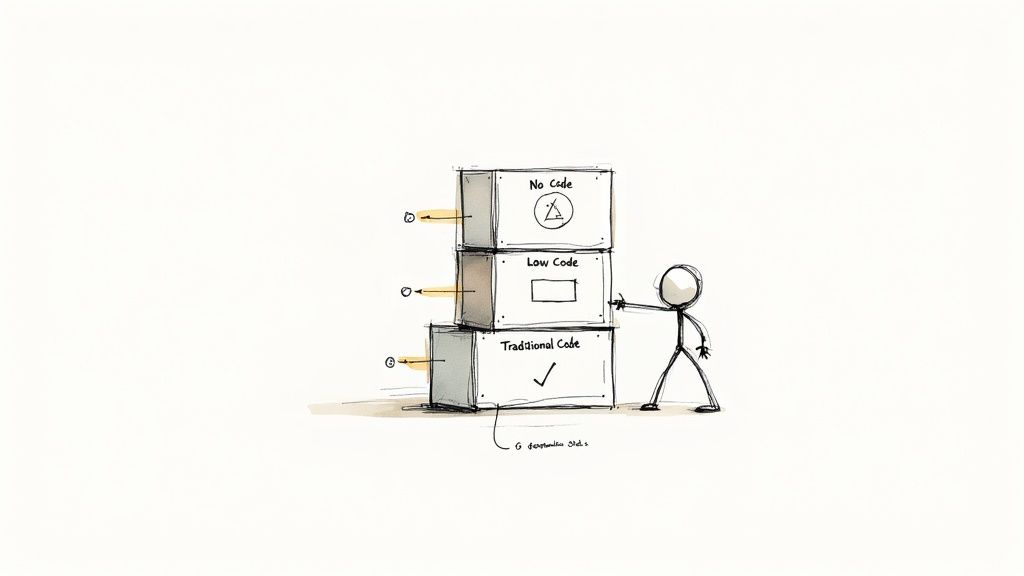
Comparing automation implementation methods
Three approaches cover most teams: no-code, low-code, and traditional code. None is best in general, and each fits a different user and problem.
| Approach | Who builds it | Best for | Main limit |
|---|---|---|---|
| No-code | Anyone on the team | Simple, linear workflows | Hits a ceiling when rules get specific |
| Low-code | Operators and domain experts | Multi-system workflows with custom logic | Needs a clear process map |
| Traditional code | Software engineers | Complex, unique systems | Slowest to build and change |
Why low-code suits most operations teams
Low-code suits most operations teams because the people who understand a process best can build the automation without waiting for engineers. Platforms such as CodeWords let you:
- Connect separate systems: Move data between applications, from your CRM to your project management tool, without a developer. CodeWords connects to 3,000+ integrations (CodeWords pricing page, 2026).
- Add custom logic: When a no-code tool reaches its limit, describe your business rule in plain language to Cody, the automation builder, or add a code snippet.
- Build and change quickly: When the process changes, you edit the automation instead of filing a ticket.
Comparing AI workflow automation tools shows which platform has the integrations your process needs.
How do you measure the real ROI of streamlined processes?
Measure return on investment (ROI) by tracking outcomes that connect process efficiency to business results, not only hours saved. Ask "How much better is this?" in addition to "How much faster is this?"

Beyond time saved: key performance indicators
Three metrics link a process to business outcomes.
- Process cycle efficiency (PCE): The ratio of value-added time to total lead time. A low PCE means most of the process is waiting, not working.
- Error rate reduction: The decrease in mistakes or customer complaints tied to a process. Automating invoice generation removes manual data entry, a common source of invoice errors.
- Employee productivity: The shift from low-value work to high-value projects. Track how many strategic initiatives a team starts after automation.
A measurement example
Consider a customer support team that automates ticket routing. Before, a team lead spent hours each day assigning tickets. After, automation assigns each ticket on arrival. Measure the effect with three metrics:
- First response time (FRT): Compare the average time to first reply before and after routing.
- Customer satisfaction (CSAT): Faster, more accurate replies should raise CSAT scores.
- Ticket resolution rate: Tickets reach the best-equipped agent, which should raise first-contact resolution and free agent capacity.
Together, the three metrics show whether automation improved customer experience and team capacity, not only speed.
The qualitative impact on your team
The effect on team morale and focus is the hardest return to quantify. An operator freed from manual data entry has time to design a better customer onboarding experience, and a marketer freed from repetitive reporting has time to build a better campaign.
What are the common pitfalls in business process automation?
The three most common pitfalls are automating a broken process, ignoring the people affected, and choosing the wrong tool. Most automation failures are failures of planning, not of technology.
Pitfall 1: Automating a broken process
Automating an inefficient process makes the bad process run faster without fixing it. Picture a 10-step approval process in which seven steps are redundant. Automating the notifications helps little. Cut the process to the three essential approvals first, then automate.
Simplify before you automate. Question every step by asking "Why do we do it this way?" The biggest gains often come from eliminating work.
Pitfall 2: Neglecting the human element
Automation changes how people work, so treat it as a change project. Staff who do not understand the reason for a new tool may keep using the old manual method.
- Explain the vision: Present automation as a way to free people for more strategic work.
- Provide training: Make sure everyone understands the new process and their role in it.
- Involve the team in design: The people doing the work know where it breaks.
Pitfall 3: Choosing the wrong tool
Choosing a tool for its popularity instead of its fit with the job and the team's skills leads to wasted effort. Revisit the three approaches above and pick the one that matches your team's skills and the problem's complexity. For most operations teams, a low-code platform like CodeWords balances power and accessibility.
Start with a well-defined process, secure a quick win, and use that result to build support for the next automation.
The new foundation for scalable operations
Each automated task is a building block for a more adaptable operation. Treating automation as a series of one-off fixes misses that effect. A company with efficient processes can respond faster to customers and free its people for strategic work.
Understanding options such as what no-code automation is helps you choose the right approach for each process. Your role is to build a system where efficiency is the default.
Frequently asked questions
What is the very first step a small business should take to automate?
Start with one high-frequency, low-complexity task. Good candidates include moving data from a web form into your CRM or generating a weekly financial summary. A single quick win shows the value of automation and builds support for larger projects across the team.
Do I need to be a programmer to build useful AI automations?
No. With low-code tools, knowledge of the business process matters more than coding skill. If you can map out a process step by step, you can describe it to an automation builder. The work is business logic, not programming logic.
Can AI automation handle complex, multi-step processes?
Yes. AI automations can handle multi-step workflows with conditional logic. They connect multiple applications and make decisions based on rules you define, so they can run an entire process from start to finish. Start with one step, then extend the workflow as you gain confidence.