12 best Zapier alternatives for AI automation in 2026
Compare 12 Zapier alternatives for AI automation — from chat-native to developer-first — with a framework for choosing by team skills, budget and complexity.
 Rebecca Pearson25 min read
On this page
Automating simple tasks is no longer enough. The real challenge is orchestrating complex, AI-driven workflows that act as a central nervous system for your business — a process that requires you to be an architect, not just a user. The best Zapier alternatives depend entirely on your technical comfort, budget, and the specific complexity of the workflows you need to build. This shift is significant; a 2024 report by Gartner shows that 70% of new applications will be developed using low-code or no-code technologies by 2025. This guide provides a clear framework for selecting the right platform.
You've likely hit a wall with your current tool. Maybe it’s the restrictive pricing that punishes growth, the lack of customization for a unique process, or the steep learning curve for non-technical team members. The frustration of knowing a process could be automated but lacking the right tool is a major operational bottleneck. This list will provide a clear path to finding an alternative that not only solves your immediate integration problems but also scales with your ambitions. You'll discover the most powerful solution isn't always the one with the most features, but the one that best fits your team's existing skills.
We analyze everything from user-friendly, chat-native platforms like CodeWords to powerful, developer-centric tools like Pipedream. You’ll find direct links and screenshots for each option, helping you quickly identify the right fit for your marketing, sales, or operations team.
TL;DR
- 70% of new applications will use low-code/no-code tech by 2025 (Gartner, 2024).
- Key differentiator: Modern Zapier alternatives focus on either deep code flexibility (Pipedream, n8n), visual building (Make), or conversational AI creation (CodeWords) to solve different user needs.
- Best AI-native option: CodeWords uses a chat interface to build, test, and deploy complex workflows from a single prompt, drastically reducing setup time for non-technical operators.
Why do you need a Zapier alternative?
Most teams search for Zapier alternatives for three primary reasons: cost, complexity, or capability limitations. Zapier pioneered the no-code automation space, but its task-based pricing can become prohibitively expensive at scale. A workflow that runs thousands of times per month can quickly escalate costs, especially when it involves multiple steps that each count as a separate task. For example, a simple lead-processing workflow that qualifies a lead, adds it to a CRM, and sends a notification could consume three tasks per run.
Second, while Zapier is user-friendly for linear, A-to-B automations, its interface becomes less intuitive for building complex, multi-path workflows with conditional logic, branching, and error handling. This is where visual builders like Make shine, offering a canvas to map out intricate processes. Finally, technical teams often hit a ceiling with Zapier's pre-built connectors. They require the flexibility to write custom code, access external libraries, or connect to internal APIs — capabilities that developer-focused platforms like Pipedream or n8n provide natively. Choosing an alternative is about aligning the tool's architecture with your specific operational blueprint.
What are the best Zapier alternatives in 2026?
1. CodeWords
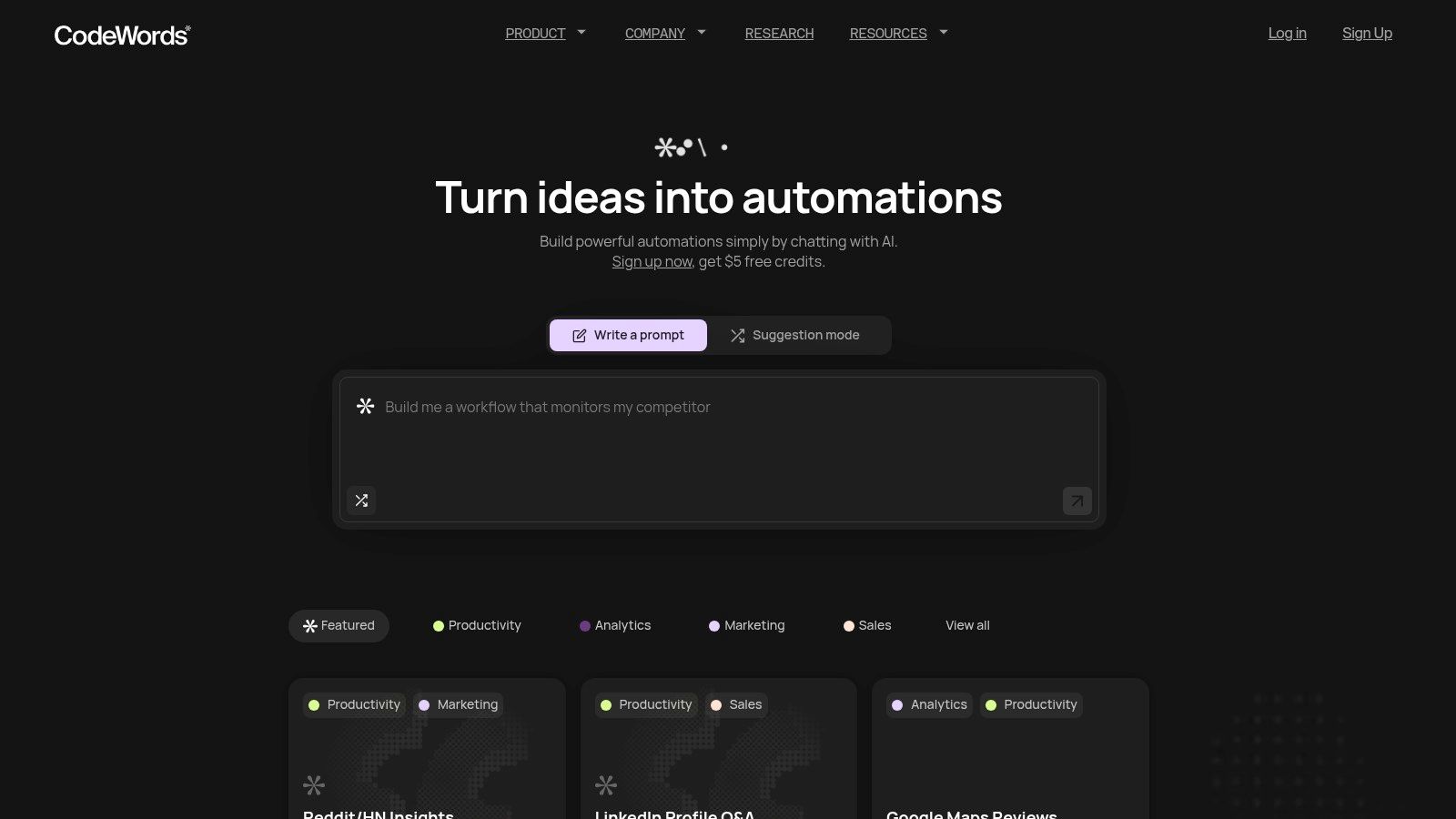
For teams who find traditional automation builders too slow and complex, CodeWords introduces a fundamentally different approach. Instead of wrestling with visual, node-based editors, you build workflows by simply describing what you want in plain English. This chat-native experience, powered by an AI assistant named Cody, transforms a single prompt into a fully configured, debugged, and deployed automation in seconds. This makes it a powerful Zapier alternative for non-technical founders, marketers, and operators who value speed and simplicity.
The platform excels at connecting the modern SaaS stack, with support for 3,000+ integrations like Slack, Notion, Salesforce, and Google Drive. This massive library enables users to quickly automate practical, high-impact tasks without any setup friction.
Why CodeWords stands out
CodeWords is engineered for rapid implementation and high ROI. The core value is its one-prompt building process, which eliminates the learning curve associated with mapping out triggers, actions, and logic steps. New users often build their first useful automation in in minutes, a significant reduction in time-to-value compared to other tools. The platform also offers a library of proven, community-vetted templates for common use cases like analyzing Trustpilot reviews, monitoring websites for changes, or routing leads from LinkedIn.
Key features and use cases
- Chat-Native Workflow Builder: Simply tell Cody what you need, such as, "When a new lead fills out our Typeform, create a new record in Salesforce and send a welcome email via Gmail." The AI handles the entire build process.
- Automatic Testing and Deployment: Workflows are automatically tested and debugged before going live, ensuring reliability without manual intervention.
- 3,000++ Integrations: Connects a vast ecosystem of apps, covering everything from sales and marketing to productivity and data analysis.
- Proven "Remix" Templates: Jumpstart common tasks by using pre-built workflows that have already been run thousands of times by the community.
Pricing and access
CodeWords operates on a flexible, usage-based pricing model with credits that roll over monthly. This makes it accessible for both small experiments and production-scale workloads.
- Free Plan: Includes starter credits for new signups.
- Pro Plan: $39 per month with 60 monthly credits.
- Business Plan: $100/month with 200 monthly credits.
Pros and cons
Pros:
- Extremely fast onboarding and workflow creation via chat.
- Automatic debugging removes a major technical hurdle.
- Extensive integration library connects nearly any tool.
- Flexible pricing with a free entry point and rollover credits.
Cons:
- Variable costs with usage-based pricing can be unpredictable for heavy users.
- Lacks publicly listed enterprise security certifications, requiring due diligence for compliance-heavy organizations.
CodeWords Workflow: Automated Competitor Keyword Monitoring
Prompt: Every Monday, find the top 10 new keywords ranking for competitor.com using the SEMrush API, then send the list to the #marketing-research channel in Slack.
Output: A weekly Slack message containing a formatted list of the competitor's 10 newest ranking keywords.
Impact: Saves the marketing team ~2 hours per week of manual SEMrush analysis and reporting.
2. Make (formerly Integromat)
Make, which many still know as Integromat, positions itself as a premier visual automation platform and a powerful Zapier alternative. It excels by giving users a canvas-like interface where they can drag and drop app modules, creating complex, multi-step workflows with branching logic, filters, and routers. This visual-first approach makes it easier to understand the flow of data and troubleshoot errors compared to linear, top-down automation builders. For those building intricate systems, this clarity is a significant advantage.
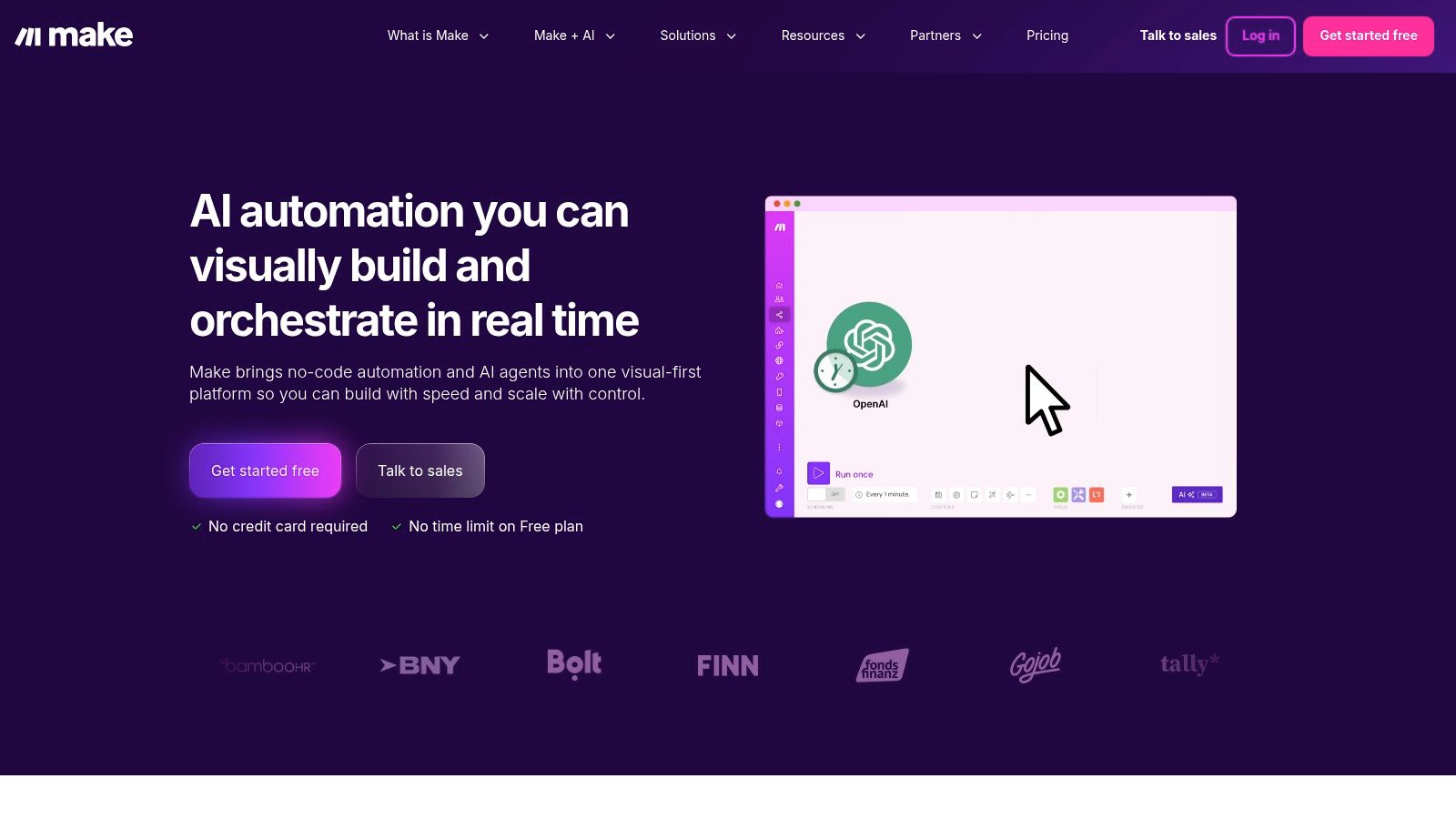
Make's platform supports over 3,000 applications and provides developer-friendly extensions, such as its Make Code App for executing JavaScript or Python snippets within a workflow. Recently, it has also ventured into AI with beta features for AI tools and agents, expanding its capabilities. The granular, credit-based pricing model offers a free tier and scales up, which can be cost-effective for users with infrequent but complex tasks. For a deeper analysis, explore other powerful Make alternatives and similar tools.
Key features & pricing
- Features: Highly visual no-code builder, advanced routing and data mapping, a library of 3,000+ apps, AI agent capabilities (beta), and enterprise-grade security features.
- Pricing: Starts with a free forever plan that includes 1,000 operations/month. Paid plans begin at $9/month, offering more operations and features.
Pros and cons
- Pros: The visual workflow builder is incredibly flexible and intuitive for complex scenarios. Its granular credit system can be very economical. The large app catalog and enterprise-level governance are also strong points.
- Cons: The credit model can be confusing at first, as different actions consume different amounts. Workflows with code steps can consume credits more rapidly than expected.
3. Microsoft Power Automate
For organizations deeply embedded in the Microsoft ecosystem, Power Automate stands out as a powerful, enterprise-grade Zapier alternative. It combines cloud-based application automation with desktop-based Robotic Process Automation (RPA), allowing users to connect modern APIs and legacy systems within the same platform. Its key strength lies in its native integration with Microsoft 365, Dynamics 365, and Azure, making it the default choice for automating tasks within Outlook, SharePoint, Teams, and other Office applications.
The platform is designed with corporate governance and security in mind, offering features like managed environments, data loss prevention policies, and detailed analytics. While its builder is less visually fluid than some competitors, its capabilities extend to process mining and AI-driven insights, appealing to businesses focused on process optimization at scale. It offers a unique value proposition by bundling RPA capabilities with certain Windows licenses, providing a cost-effective entry point for desktop automation. For a complete picture of the automation space, it's helpful to understand what Zapier got right to see how these different philosophies compare.
Key features & pricing
- Features: Cloud flows and attended/unattended desktop flows (RPA), process and task mining capabilities, standard and premium connectors, deep integration with Microsoft Dataverse, and enterprise-grade governance.
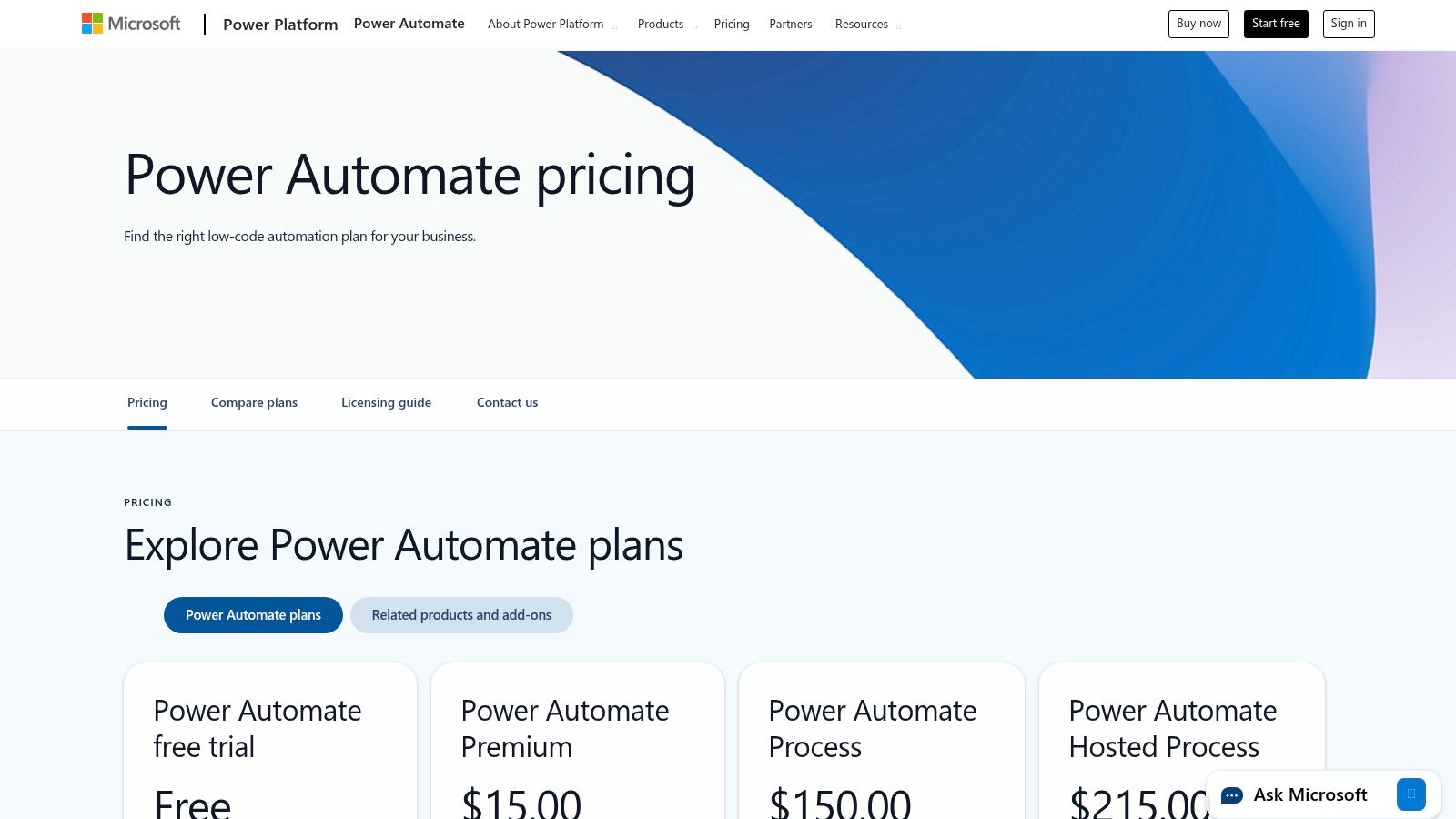
- Pricing: Pricing is complex, with per-user plans starting at $15/month. There are also per-flow plans and various add-ons for RPA and AI Builder credits. A limited free version is included with most Microsoft 365 plans.
Pros and cons
- Pros: Unmatched integration with the Microsoft 365 and Azure ecosystems. Includes powerful RPA features for automating desktop tasks. Strong enterprise security, compliance, and governance controls.
- Cons: The pricing structure and licensing entitlements can be very confusing to navigate. Many essential business app connectors are classified as "premium," requiring more expensive plans. The user interface can feel less intuitive for non-technical users.
4. n8n
n8n carves out a unique space as a powerful, source-available Zapier alternative designed with technical users and developers in mind. Its main appeal lies in its flexibility, offering both a managed cloud service and a free, self-hosted Community Edition. This gives teams complete control over their data, infrastructure, and security. The platform uses a node-based visual editor, which feels familiar to developers and allows for building complex, multi-step workflows with custom logic, branching, and error handling. It's an ideal choice for those who want to escape the per-task, per-user pricing models and require deep customization.
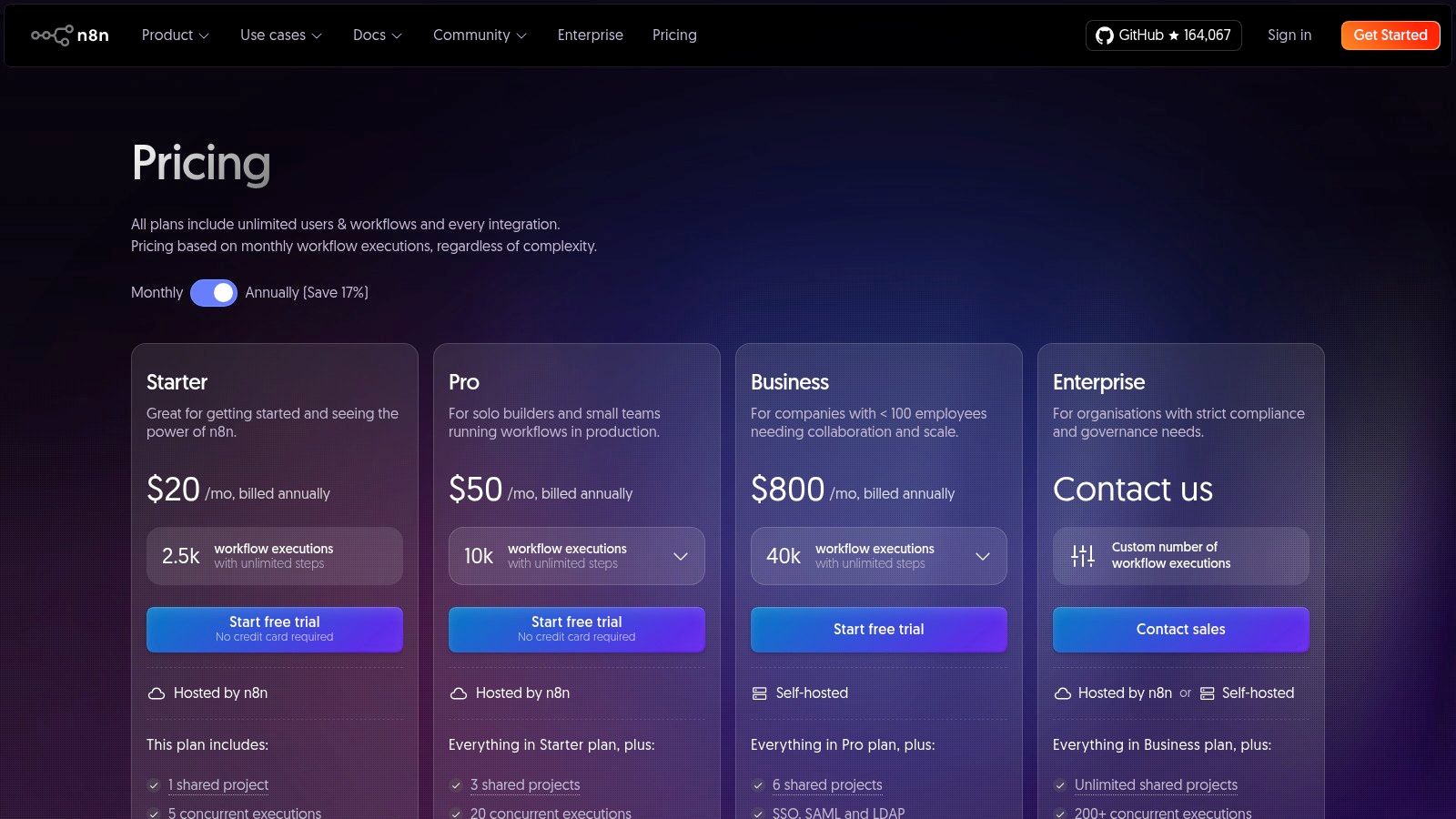
The platform’s strength is its extensibility. If a specific integration or function isn't available, developers can create their own custom nodes using JavaScript or TypeScript. The pricing for n8n's cloud version is based on the number of workflow executions, not the number of steps or users, which can be more predictable for teams with complex but less frequent automation needs. With a vibrant open-source community contributing to its extensive node library, n8n stands as a formidable tool for teams that need granular control and are comfortable managing their own automation environment.
Key features & pricing
- Features: Self-hosted Community Edition, extensive node library for integrations, a node-based visual workflow builder, and enterprise-grade features for collaboration and governance.
- Pricing: A free self-hosted Community Edition is available. n8n Cloud plans start from $20/month, billed by workflow executions rather than per user or task.
Pros and cons
- Pros: The self-hosting option provides unparalleled control and data privacy. Its execution-based pricing model can be very cost-effective, and the active open-source community ensures continuous improvement.
- Cons: Requires a higher degree of technical skill to install, manage, and get the most value from, especially the self-hosted version. The execution-based billing on cloud plans can become expensive for high-volume workflows.
5. Pipedream
Pipedream is a developer-centric automation platform designed for engineers and those comfortable with code. It uniquely bridges the gap between low-code simplicity and full-code power, allowing users to build workflows with pre-built app integrations and then inject custom Node.js, Python, or Go code steps whenever needed. This makes it a formidable Zapier alternative for technical teams that require extensibility beyond standard connectors, such as accessing npm or PyPI packages directly within a workflow.
The platform provides a generous free tier and operates on a modern credit-based billing model tied to compute time, which offers transparency for developers monitoring resource usage. With over 3,000 integrated apps, a real-time event inspector for debugging, and included AI tokens, Pipedream is built for creating sophisticated, custom automation solutions. It's an ideal choice for technical users who find traditional no-code tools too restrictive for their complex integration challenges.
Key features & pricing
- Features: Native support for Node.js, Python, and Go code steps, 3,000+ integrated apps, access to npm/PyPI packages, GitHub Sync for version control, real-time event inspector, and included AI tokens.
- Pricing: Pipedream's pricing includes a free tier with 10,000 credits/month. Paid plans start at $19/month, offering more credits, longer execution times, and advanced business features.
Pros and cons
- Pros: Excellent for engineers and developer-led projects. The flexible runtime and direct access to code packages offer nearly limitless customization. Its transparent credit-based billing is clear and predictable for compute-heavy tasks.
- Cons: The credit and compute concepts can add a layer of complexity for non-technical users. Key business features like SSO and dedicated support are reserved for higher-tier plans.
6. Workato
Workato positions itself as an enterprise-grade integration platform as a service (iPaaS), making it a formidable Zapier alternative for large organizations. It’s built to handle complex, cross-departmental automations that require robust governance, security, and lifecycle management. Rather than focusing on simple point-to-point connections, Workato enables businesses to orchestrate intricate workflows across hundreds of applications, from HR and finance to sales and marketing. Its platform is designed for both business technologists and IT professionals, offering a low-code/no-code environment that doesn't sacrifice power or scalability.
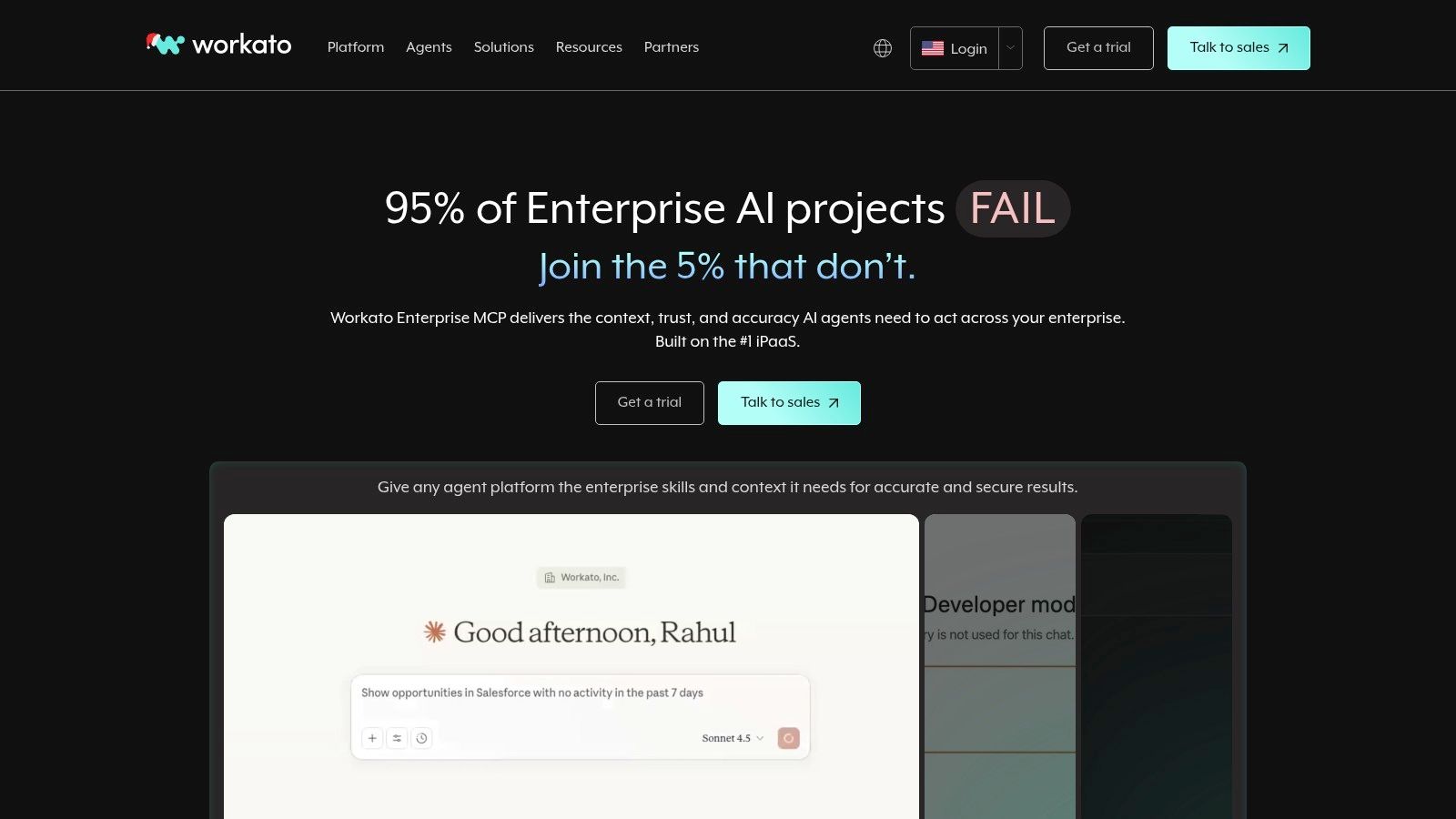
This enterprise focus is evident in its features, which include advanced data mapping, conditional logic, and a DevOps-style framework for managing automation lifecycles from development to deployment. The platform operates on a usage-based model combined with platform edition tiers, catering to the sophisticated needs of large-scale operations. For businesses seeking to implement and govern automation at scale, Workato provides a mature and comprehensive solution that extends far beyond the capabilities of simpler tools.
Key features & pricing
- Features: Platform editions (Standard, Business, Enterprise), mature governance and DevOps-style lifecycle management, extensive enterprise connector library, and add-ons for specific enterprise needs.
- Pricing: Pricing is customized and sales-led. It is based on platform edition tiers and usage units, requiring a direct consultation for a quote.
Pros and cons
- Pros: Exceptionally well-suited for complex, cross-department automations in large enterprises. Its governance and DevOps model are mature and highly effective for managing workflows at scale. The platform offers extensive coverage for enterprise connectors.
- Cons: The sales-led pricing model can be significantly higher than tools aimed at SMBs. There is a steeper learning curve, particularly for large-scale implementations requiring deep integration knowledge.
How do you choose the right Zapier alternative?
Methodology: This comparison focuses on the primary build experience, ideal user profile, and core value proposition relative to Zapier. Pricing is based on entry-level paid tiers as of Q4 2024.PlatformBuild ExperienceIdeal UserPrimary Strength**CodeWords (Recommended)**Conversational AI (Chat)Operators, FoundersSpeed & SimplicityMakeVisual Canvas (No-Code)Tinkerers, SMBsComplex LogicPipedreamCode-First (Low-Code)DevelopersExtensibilityn8nNode-Based (Low-Code)Technical TeamsControl & Self-HostingWorkatoRecipe Builder (Enterprise)Large EnterprisesGovernance & Scale
The search for Zapier alternatives is rarely about replacing one tool with another. It’s about finding a different kind of builder — one whose blueprint aligns with your team’s vision for efficiency. This list demonstrates that the automation market is not a one-size-fits-all arena.
Here's the deal:
Making the right choice requires looking beyond feature lists. You need a simple framework to evaluate these powerful Zapier alternatives.
- Map your core processes: Before starting a trial, identify the 3-5 most critical, repetitive workflows in your business. Is it lead nurturing? Customer onboarding? Financial reconciliation? Your core use case will immediately filter the list.
- Assess your team’s technical comfort zone: A no-code, visual interface like Make is perfect for marketing teams. A low-code platform like Pipedream offers greater flexibility but requires someone comfortable with basic coding. Tools like CodeWords bridge this gap, using natural language to build sophisticated AI workflows without code.
- Calculate the true cost: Look beyond the monthly price. Consider the time it will take your team to learn and implement the tool. A cheaper plan that requires 40 hours of setup is more expensive than a pricier but more intuitive option.
- Evaluate the AI and integration ecosystem: Consider the depth, not just the breadth, of integrations. Does the platform support the specific triggers and actions you need? As AI becomes more embedded in operations, check for native AI capabilities or connections to specialized tools like an AI ad generator.
You might think that migrating from an established tool is too difficult. Most believe that rebuilding dozens of workflows is a manual, error-prone process that will disrupt operations. The opposite is often true. The migration process forces a much-needed audit of your existing automations. Many teams find that 20-30% of their old workflows are outdated or redundant. Starting fresh on a new platform allows you to rebuild with a clearer strategy, resulting in simpler, more powerful automations.
What are other Zapier alternatives?
7. IFTTT
IFTTT, an acronym for "If This Then That," stands out as one of the simplest and most accessible Zapier alternatives, particularly for users new to automation. It operates on a straightforward principle of "Applets," which are pre-built or custom connections that trigger an action in one service when an event happens in another. This model makes it incredibly easy to automate simple, everyday tasks across smart home devices, social media platforms, and basic business applications without needing any technical knowledge.
With a library of over 900 services and a vast community sharing ready-to-use Applets, IFTTT excels at quick, set-and-forget automations. While it may not offer the deep, multi-step complexity of other platforms, its simplicity is its greatest strength, making it an ideal starting point for anyone exploring automation. For more context, you can explore the basics of what a no-code automation platform can offer.
Key features & pricing
- Features: Simple "If This Then That" Applet builder, a large community library of integrations, excellent mobile apps, multi-action Applets with webhooks, and filter code capabilities on higher tiers.
- Pricing: Offers a free plan for up to 2 Applets. Paid plans start at $2.50/month (billed annually) for more Applets and advanced features like faster execution.
Pros and cons
- Pros: Extremely user-friendly and very easy to set up, making it perfect for beginners. The inexpensive paid tiers offer great value. The massive catalog of community-created Applets provides instant solutions.
- Cons: Lacks the advanced logic, conditional branching, and multi-app workflow capabilities needed for complex business processes. Trigger speed and advanced features are locked behind paid plans.
8. Integrately
Integrately enters the market as a user-friendly and highly accessible Zapier alternative, focusing on speed and simplicity. It carves out a niche by offering a massive library of over 20 million ready-to-use, "1-click" automations, which allows non-technical users to set up workflows almost instantly. This approach significantly lowers the barrier to entry, making it an ideal choice for small businesses and teams that need to connect their apps without a steep learning curve or complex configuration process. The platform prioritizes getting users from idea to execution as quickly as possible.
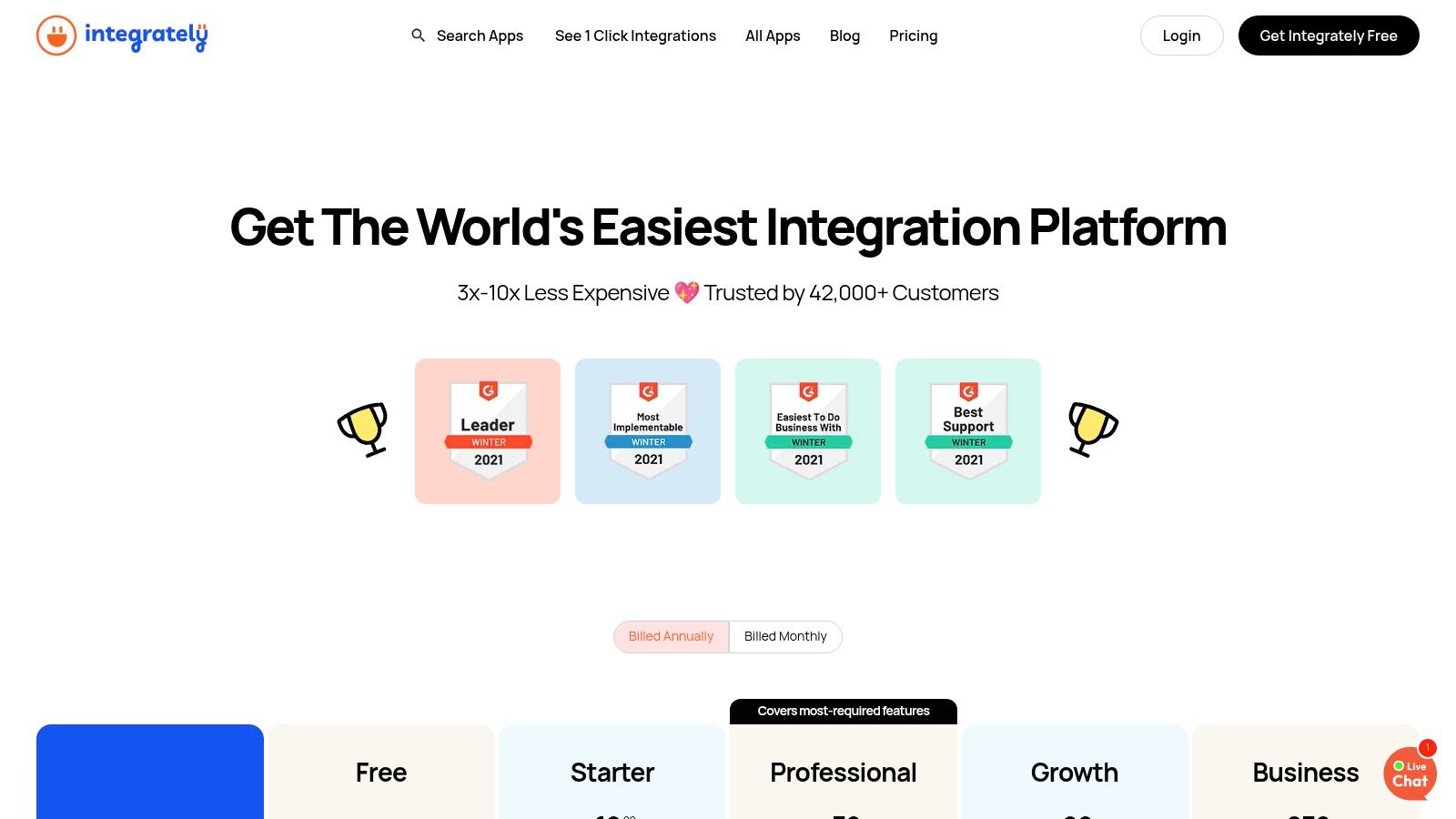
With support for over 1,400 applications, Integrately provides broad coverage for common business tools. Its pricing is task-based, similar to Zapier, but often offers a more generous allotment of tasks at lower price points, making it a cost-effective option for users with high-volume, straightforward automation needs. Higher-tier plans add valuable features like live chat support and dedicated account managers, providing a level of service aimed at growing businesses that require more hands-on assistance.
Key features & pricing
- Features: 1,400+ apps and 20M+ ready automations, Webhooks, conditions, scheduler and data utilities, large library of pre-built, one-click flows, live chat support and account manager on higher tiers.
- Pricing: Starts with a free plan that includes 100 tasks/month. Paid plans begin at $19.99/month, offering more tasks and advanced features.
Pros and cons
- Pros: Extremely quick to launch automations with its 1-click flow library. The task allotments per price point are very competitive. Responsive support, including live chat, is a significant benefit.
- Cons: Advanced branching and complex logic are limited to higher-priced tiers. The platform's user interface and branding feel less polished compared to more established, enterprise-focused competitors.
9. Zoho Flow
For businesses already embedded in the Zoho ecosystem, Zoho Flow is a natural and highly integrated Zapier alternative. It is designed to connect Zoho's suite of applications seamlessly with hundreds of popular third-party apps. Its user-friendly interface allows for the creation of unlimited multi-step workflows, known as "Flows," which can be triggered by webhooks, schedules, or app-based events. The platform stands out by bundling its core value within the broader Zoho One suite, making it an extremely cost-effective choice for existing Zoho customers.
Zoho Flow includes powerful logic utilities like decisions, delays, and custom functions, enabling more sophisticated automation sequences. A unique feature is its on-premise agent, which allows workflows to connect securely with local, on-premise applications that aren't accessible via the public internet. Its task-based pricing model is straightforward, offering generous quotas that scale effectively from small teams to large enterprises. This clear, value-driven approach makes it a strong contender for those looking to unify their business process automation. For more information, visit the official Zoho Flow website.
Key features & pricing
- Features: Deep integration with the Zoho ecosystem, unlimited flows on all plans, logic utilities (Decision, Delay), an on-premise agent for local apps, and a visual workflow builder.
- Pricing: A free plan is available with 100 tasks/month. Paid plans start at $10/month for 1,000 tasks, scaling up based on task volume.
Pros and cons
- Pros: Excellent value, especially for existing Zoho users. The unlimited flow creation and scalable task-based pricing are very attractive. The on-premise agent is a key differentiator for businesses with hybrid infrastructure.
- Cons: The user interface, while functional, can feel less modern than some competitors. Premium app support and advanced features are gated behind the higher-tier Professional plan.
10. Tray.io (Tray)
Tray.io is an enterprise-grade Integration Platform as a Service (iPaaS) that serves as a powerful, scalable Zapier alternative for large organizations. It excels in environments requiring robust governance, security, and the ability to build custom, complex integrations. The platform provides a low-code workflow builder that balances user-friendliness with deep technical capability, allowing both business and technical teams to automate sophisticated processes. Tray is designed to handle high-volume, mission-critical workflows with advanced logic and error handling.
With over 600 pre-built connectors and a powerful Connector Builder SDK, teams can integrate any application, including custom internal software. Tray has also introduced AI tooling with its Merlin Agent Builder, allowing for the creation of AI-powered agents within workflows. The platform is packaged for professional teams and enterprises, with usage-based pricing determined by task volume and API calls. Its embedded solution also enables software companies to offer native integrations directly within their products.
Key features & pricing
- Features: 600+ connectors, a Connector Builder SDK for custom APIs, enterprise-grade governance and security, Merlin AI Agent Builder, and an embedded integration option for SaaS companies.
- Pricing: Pricing is quote-based and tailored to specific needs. Plans are structured around task volume, workspace controls, and support levels for Pro, Team, and Enterprise tiers.
Pros and cons
- Pros: Excellent for enterprise-scale automation with strong governance controls. The ability to build custom connectors is a significant advantage. The embedded solution provides a unique offering for SaaS businesses.
- Cons: Pricing is not transparent and requires a sales call. The platform can be complex and may present a steeper learning curve for users accustomed to simpler tools.
11. Activepieces
Activepieces enters the market as a compelling open-source Zapier alternative, offering a unique proposition for developers and budget-conscious businesses. Its core strength lies in its MIT-licensed Community Edition, which allows users to self-host the platform for complete data control and customization. This open-source foundation appeals to those who need full command over their automation infrastructure, while its cloud-based plans provide an accessible, managed solution for everyone else. The platform emphasizes a straightforward user experience and is rapidly expanding its feature set to include more advanced capabilities.
Activepieces positions its cloud version with an attractive pricing strategy that includes an "unlimited tasks" model, which is appealing for high-volume automation needs. This is governed by a fair use policy but offers predictable monthly costs. It is also building out its capabilities with features like AI agents and steps for creating intelligent workflows, along with data tables and API access. These features make it a versatile tool for both simple and increasingly complex automation scenarios, bridging the gap between no-code simplicity and developer-centric flexibility.
Key features & pricing
- Features: Open-source Community Edition (MIT license), self-hosting capabilities, AI agents and steps, cloud plans with 'unlimited tasks' (fair use), data tables, and an accessible API.
- Pricing: The cloud version has a free tier. The paid Plus plan starts at a very competitive rate, offering the core "unlimited" features under its fair use policy. Business and Enterprise plans are also available.
Pros and cons
- Pros: The open-source core provides ultimate control and transparency. Cloud plans are highly affordable, with the unlimited-task model offering great value for heavy automation users.
- Cons: As a newer platform, its ecosystem of pre-built app connectors is smaller than established competitors. The "unlimited" tasks model is subject to fair use limits, which users should review to ensure it fits their scale.
12. G2 – Zapier alternatives & competitors (comparison marketplace)
Rather than being a direct automation tool, G2 serves as a comprehensive B2B software marketplace where you can discover and compare various Zapier alternatives. It aggregates user reviews, ratings, and detailed feature lists, acting as a crucial research hub for anyone evaluating different integration platforms. The platform allows you to filter options based on criteria like company size, industry, and specific capabilities, making it easier to narrow down the most relevant tools for your unique business needs. This meta-level approach provides a bird's-eye view of the market.
G2's value lies in its crowdsourced data; you can see what actual users are saying, uncovering both the strengths and weaknesses of a platform before committing. The ability to see side-by-side comparisons helps clarify subtle differences in pricing models, app support, and user experience that might not be obvious from a vendor's website. For a deeper dive into how different automation tools are compared, you can see how Scheduled approaches evaluating the best LinkedIn schedulers.
Key features & pricing
- Features: Extensive library of peer reviews and user ratings, detailed feature comparisons for Zapier competitors, advanced filtering by company size and industry, and direct links to vendor trials or special offers.
- Pricing: Free to browse and research. Some in-depth reports or vendor-sponsored content may require a sign-up.
Pros and cons
- Pros: Excellent for getting a snapshot of the current market and user sentiment. The filters are highly effective for surfacing enterprise-ready versus SMB-focused tools. It's a free and invaluable resource for initial research.
- Cons: Some detailed information is gated behind a sign-in or lead-generation form. Vendor placement and visibility on the platform can be influenced by paid partnerships, potentially skewing initial impressions.
Frequently asked questions
Can Zapier alternatives handle enterprise-level security?
Yes, several Zapier alternatives are built for enterprise needs. Platforms like Workato, Tray.io, and Microsoft Power Automate offer robust security features, including SOC 2 compliance, advanced governance controls, and data loss prevention policies to meet stringent corporate requirements.
Is it hard to migrate from Zapier to another platform?
Migration difficulty varies. For simple, linear workflows, rebuilding them in a new tool is often straightforward. The process can even be beneficial, as it forces a strategic review of your existing automations. For highly complex workflows, the migration can be more involved, but many platforms offer support and import tools to assist.
Are there any free Zapier alternatives that are actually useful?
Yes. Many platforms offer generous free tiers. n8n and Activepieces provide free, self-hosted open-source versions for complete control. CodeWords offers free starting credits, while Make and Pipedream have free plans with monthly usage limits that are suitable for personal projects or low-volume business tasks.
Beyond simple connections
The search for Zapier alternatives is rarely just about replacing one tool. It’s about finding a different kind of builder, one whose blueprint aligns with your team’s specific vision for efficiency. This list has demonstrated that the automation market is no longer a one-size-fits-all arena.
The central implication is this: selecting the correct automation platform transforms workflow creation from a technical chore into a core business strategy. It’s the difference between merely connecting apps and truly architecting a more intelligent, responsive, and scalable operation. The ultimate goal is to find a platform that feels like an extension of your team’s thinking. Whether you need a visual drag-and-drop interface, a code-first environment, or a chat-native AI assistant, the perfect builder is waiting. Choose the one that empowers your team to create without limits.